Opening Tonghuashun in a Vancouver apartment, only to find the market quotes refreshing half a beat late; placing an order via Tongdaxin in a London apartment, pressing "Sell" and waiting three seconds to see a confirmation receipt—this experience of "having pressed the button but not knowing if the trade went through" is familiar to every overseas stock trading user.
The latency and jitter of cross-border access are not simply a matter of "slow internet speed," but rather the result of overlapping factors across physical links, carrier interconnection, compliance identification, and application protocols. Stock trading applications have especially high requirements forreal-time capability, stability, and command deliverability—market data is typically pushed 1–2 times per second, while order placement links demand millisecond-level receipts. This article provides a systematic and practical optimization guide across four dimensions: latency sources, limitations of traditional solutions, layered optimization strategies, and HiCN dual-path concurrency alongside configuration practices.
Important Notice: The content of this article focuses solely onnetwork-level latency and connection optimization, and does not constitute any investment advice. Cross-border access also involvescompliance and login restrictions of broker APPs, so please be sure to abide by the financial regulatory requirements of your country or region, as well as the latest usage rules of brokers and exchange platforms.

I. Problem Identification: Three Layers of Latency Sources in Overseas Access to Domestic Stock Trading Software
Breaking down the "lag," the latency of cross-border access to domestic stock trading software stems from three layers:client, link, and platform. The table below first provides a quick diagnostic lookup table, followed by a detailed breakdown item by item.
Latency Source Layer | Typical Symptoms | Key Diagnostic Signals | Primary Controllable Measures |
Client Layer | Slow quote refresh, K-line gaps | No significant change after switching nodes | Terminal device cleanup, protocol parameters, client version |
Cross-border Link Layer | Order placement delay, order cancellation timeout | Particularly severe during peak hours | Route optimization, dual-path concurrency, dedicated line transport |
Platform Layer | Abnormal login prompts, regional restriction alerts | Node switching cannot resolve it | Node geolocation, protocol fingerprints, APP version policies |
1. Client Layer: Local Hardware/Software and APP Efficiency
● Terminal system time zone, DNS resolution, and local firewall policies all affect first-screen loading;
● APP versions left unupdated for a long time may be incompatible with servers at the protocol layer, causing repeated reconnections that appear to be "network issues";
● Mobile background applications being frozen by the system will cause market data pushes to interrupt after screen lock, reconnecting in batch when returning to the foreground, which also feels like "high latency" in experience.
The room for optimization at this layer is relatively limited; the focus is onkeeping the client updated, closing unnecessary background processes, and restarting the APP under a stable network.
2. Cross-border Link Layer: Physical Distance + Backbone Rerouting
● The physical distance from North America to Mainland China is about 9,000 kilometers. The speed of light in optical fiber is about 2/3 of that in a vacuum, making the one-way physical latency typically around 60–80 ms, with a hard lower limit for round tripsgenerally not less than 130 ms (the following values are all anonymized typical scenario or sample test results; measurement conditions: standard home broadband, multiple samplings within 1 hour before and after evening peak hours taking typical ranges);
● The actual paths often pass through submarine cables + transit via Japan/Korea, compounding with a 1.3–1.8x detour,and measured total latency commonly ranges between 220–380 ms;
● The Beijing time evening peak (20:00–23:00) corresponds to daytime in Europe and America, leading to international exit congestion and significantly increased packet loss rates.
The link layer is the layer withthe greatest room for optimization, and is where network acceleration services truly come into play.
3. Platform Layer: Region Identification and Login Risk Control
● Broker APPs and market data providers usually identify IP geolocations, causing overseas IPs to frequently encounter situations such as "Login Failed," "Risk Warning," and "Re-authentication Required";
● Market data and trading interfaces may be intercepted by server-side risk control rules under abnormal network environments;
● Even after switching client settings, restrictions may still be triggered due to comprehensive risk controls such as account and device fingerprints.
Restrictions at the platform layershould not be treated as "network issues" to blindly adjust parameters, and need to be judged in combination with official announcements from brokers and APPs.
Measured Latency Reference (Without Acceleration)
Origin | Domestic Market Data / Trading Services | Direct Connection Latency Range | Typical Symptoms |
North America (US West / US East) | Tonghuashun / Tongdaxin / Eastmoney | 220–380 ms | Order placement delay, order cancellation timeout |
Europe (London / Paris) | Broker APP / Market Data | 250–350 ms | Slow quote refresh, frequent loss of login state |
Australia | Domestic Market Data | 300–450 ms | Poor visibility of order receipts |
Southeast Asia (Singapore) | Domestic Market Data | 90–150 ms | Usable, but noticeable packet loss during peak hours |
Japan & South Korea | Domestic Market Data | 60–100 ms | Occasional stuttering |
Key Conclusion: North America, Europe, and Australia are the three regions with the most severe latency, which is consistent with findings in gaming, video, and office scenarios. Because stock trading applications have rigid requirements fororder placement receipts, their tolerance for latency and jitter is actually much lower.
II. Limitations of Traditional Solutions: Why "General VPNs" Help Little in Stock Trading Scenarios
The first reaction of many overseas users is to "turn on a China VPN," but general-purpose tools frequentlyfail to resolve the root problem in stock trading scenarios. If you are experiencing any of the following situations, you can review the layered optimization method in this article before deciding whether to switch to a more professional transport layer:
1. Overloaded Nodes and Single-Line Vulnerability to Congestion
General VPNs usually handle all services such as gaming, video, office, and social networking on a few cross-border nodes,making them extremely prone to overloading during evening peak hours. The more users on the same node, the more unstable the bandwidth allocated to a single user, which manifests on the trading end as "fast market quotes but slow order placement" or "frequent signal drops."
2. Lack of Optimization for TCP Long Connections and UDP Heartbeats
Market data pushes mostly use TCP long connections or UDP high-speed push protocols, while the order placement link emphasizesconnection maintenanceandreceipt confirmation. General VPNs often only care about "whether it can connect," without optimizing congestion control, retransmission strategies, and heartbeat keep-alive for these protocols, resulting in "appearing connected, but dropping offline at critical moments."
3. Non-Intelligent Node Switching: Single-Path Interruption Means Service Disruption
Some tools require users to manually switch nodes;once the current node experiences an anomaly, it relies on the user to detect and reconnect. Even an interruption of tens of seconds during trading hours can cause users to miss the best order placement window.
4. Comparison Dimensions with Third-Party Accelerator Solutions
Comparing several common types of solutions on the market horizontally, we can see their respective applicability boundaries:
Dimension | General China VPN | Third-Party "China Accelerator" | HiCN Dual-Path Concurrency |
Number of Nodes | Few and concentrated | Relatively many | Relatively many + dual-path concurrency |
Protocol Optimization | General | Geared toward gaming/media | General + balancing market data/trading links |
Peak Capacity | Average | Moderate | Dual-path concurrency can relieve single-point congestion |
Intelligent Switching | Mostly manual | Semi-automatic | Backup nodes + automatic scheduling |
Jitter Control | Average | Moderate | Dual-path parallel transmission reduces single-path fluctuation impact |
Important Note: The above comparison is based on public information and typical scenario descriptions, anddoes not constitute a commitment or ranking for any third-party products. Actual performance will be affected by multiple factors such as network environment, carriers, client versions, and regional policies.
Single-Path vs Dual-Path Concurrency: Principle and Visual Deconstruction
Traditional single-path solutions have only one cross-border channel, where all data relies on this single path:
[Local Client] → [Local ISP] → [Single Cross-border Node] → [Domestic Ingress] → [Target Service]
When congestion or packet loss occurs in any section of this path,the entire connection degrades.
The approach of dual-path concurrency is toenable two independent channels simultaneously, carrying out data sharding, parallel transmission, and redundancy checks on the client side:
┌─→ [Cross-border Channel A] ─┐
[Local Client] → [HiCN Client] ─→ [Cross-border Channel B] → [Domestic Ingress] → [Target Service]
└─→ [Dual-path Aggregation/Redundancy] ─┘
The intuitive benefits are:
● When jitter or instantaneous packet loss occurs on one channel, the other channel can still maintain the continuity of quotes and commands;
● The client can dynamically adjust the weights of both paths based on real-time RTT and packet loss rate metrics,allowing the better path to carry more traffic;
● Within the window of a brief interruption on a single channel,the business layer is less likely to perceive a "disconnection", which is more friendly to the reachability of order placements and receipts.
It needs to be emphasized that dual-path concurrency is an engineering approach toreducing single-path risks, andcannot break through the lower limit of physical distance. The hard round-trip latency from North America to China remains above 130 ms. After pairing with dual paths and intelligent routing,sample tests in anonymous typical scenarios usually fall within the 150–200 ms range, but thisdoes not constitute a commitment to any specific user, specific time period, or specific service. Actual performance depends on carriers, local networks, target server policies, and peak-hour loads.
III. Layered Optimization Solutions: DNS Pre-resolution, Intelligent Routing, and Dedicated Line Comparison
Users interested in network optimization can further dive into three aspects:DNS, intelligent routing, and dedicated line transport. This section provides a breakdown of common practices for easy comparison with HiCN's configuration.
1. DNS Pre-resolution: Reduce Hidden Waiting during First-Screen and Login-State Loading
● When the default DNS goes through overseas recursive servers, resolving domestic domain names often requires a two-stage path: "Overseas Root → Domestic Authoritative";
● Switching to public DNS closer to China (such as Ali DNS, DNSPod, etc.) for client-side pre-resolutionoffers noticeable help for login, quote fetching, and message push first-screens;
● Most professional accelerator clients come with built-in DNS optimization to avoid inconsistencies caused by manual configuration.
2. Intelligent Routing: Route Selection Logic Matters More Than "Whether Acceleration is On"
● The core of intelligent routing is toprobe RTT, packet loss, and available bandwidth in real time to dynamically select the optimal path;
● High-quality clients provide visual information such as node health, current load, and recommended nodes;
● For trading applications, it is recommended toprioritize nodes with stable latency and low jitter rather than looking solely at nodes with the lowest ping.
3. Dedicated Line Transport: Hierarchy of CN2 / GIA / IPLC
Type | Features | Applicable Scenarios |
CN2 | China Telecom's premium backbone network with independent carrying capacity compared to public internet | Moderate-budget China acceleration |
CN2 GIA | Highest level in CN2, independent AS, low hop count | Latency-sensitive services |
IPLC | International private leased circuit, physical layer exclusive, bypassing public internet | Finance, cross-border enterprises, transactional applications |
HiCN nodes are usually built based on the above backbone resources (specific transport resources are subject to service provider explanations). By overlaying dual-path concurrency and backup scheduling at the routing layer, it retains the advantages of dedicated lines whilereducing the cost pressure of relying solely on a single dedicated line.
4. Adjustable Parameters at the Client and Protocol Layers
● Enabling QUIC / UDP optimization can reduce first-screen latency caused by TCP three-way handshakes;
● Turn off unnecessary proxies and system-level VPNs to prevent multiple tunnels from overlapping and causing routing table confusion;
● Turn off Low Data Mode and "power-saving background freezing" on mobile devices to ensure the survival of market data long connections.
IV. HiCN Dual-Path Concurrency and Configuration Best Practices
Translating the above principles into product implementation, HiCN has made design choices tailored forlatency-sensitive scenarios in cross-border acceleration. This section unfolds from four angles: product capabilities, configuration steps, typical scenarios, and pitfall avoidance tips.
1. Quick Assessment Before Configuration
Before starting configuration, use the table below to determine whether you need to "adjust the client" or "switch the transport layer":
Current Symptom | Priority Check | Recommended Configuration Focus |
Quotes refresh normally but order placement is delayed | Link Layer | Switch to dual-path nodes, avoid peak hours |
Frequent disconnections during peak hours | Link Layer + Client | Enable backup nodes + client keep-alive |
Connected but APP prompts "Region Anomaly" | Platform Layer | Consult broker / APP customer service |
Abnormal only on mobile devices | Client Layer | Update APP, turn off power saving mode |
It needs to be emphasized again: All performance improvement indicators (such as latency reduction magnitude, jitter reduction proportion, etc.) are anonymized typical scenario or sample test results, and do not constitute a commitment to any specific user, specific environment, or specific point in time.
2. Corresponding Capabilities of HiCN and "Dual-Path Concurrency" in Practice
Applying the layered optimization approach discussed in Section III to specific clients, HiCN mainly provides the following capabilities at the link transport layer (subject to public descriptions on the official website and help center):
● Ultra-fast dual-path concurrency: Using two cross-border channels simultaneously inside the client to transmit data, where the other channel steps in when one experiences jitter or instantaneous packet loss, aiming to reduce the impact of "sudden packet loss + re-handshake" on the order placement link;
● Intelligent node scheduling: Prioritizing traffic scheduling to better-performing nodes based on real-time latency and packet loss metrics, avoiding repeated manual switches by users;
● Backup nodes + automatic switching: Automatically switching to backup nodes when the primary node experiences anomalies, reducing the risk of network disconnection during trading hours;
● Multi-platform coverage: Clients are provided for mainstream platforms such as Windows, iOS, Android, etc., making it convenient for PC + mobile phone to be online simultaneously.
How these capabilities specifically perform on your local network, carrier, and target APP should be verified via small-scale comparative testing during non-trading hours before deciding whether to deploy them fully on trading days.
3. First-Time Configuration Steps (Recommended Workflow)
1. Download & Installation
● Go to the official HiCN website (hicn01.com / 51hicn.com) to download the client for your platform;
● On mobile, search for the official name on the App Store / Google Play to download, avoiding third-party distribution versions.
2. Login & Node Selection
● After registering and logging in, enter the "China Acceleration" or "General Acceleration" list;
● It is recommended to prioritizenodes labeled with "Dual-Path", and observe node health.
3. Acceleration Mode Selection
● For stock trading applications, it is recommended to select "General/Office" or "Finance" modes (if available), avoiding unnecessary routing changes caused by accidentally selecting "Gaming Priority" mode;
● If the client provides a DNS optimization switch, it is recommended tokeep it enabled.
4. Verify Connection Quality
● Open APPs like Tonghuashun / Tongdaxin / Eastmoney and observequote refresh speed, login state maintenance duration, and order receipt latency;
● You can switch between different nodes during trading hours to compare and find the most stable node for the current period.
5. Multi-Device Collaboration
● The same account can log in simultaneously on PC + phone + tablet,but it is recommended to run the primary trading link on only one device at a time to avoid compounding account risk controls.
4. Optimization Recommendations for Typical Scenarios
● Day trading in North America (US West / US East)
○ Select "Dual-Path" nodes with stable latency and low jitter;
○ Pay attention to the peak hours of 20:00–23:00 Beijing time, and manually confirm backup node reachability if necessary.
● Long-term holding / IPO subscription in Europe (London / Paris)
○ Prioritize login state maintenance and message pushes; it is recommended to enable the "long connection keep-alive" switch (if provided by the client);
○ On mobile, it is recommended to turn off power saving mode to prevent market pushes from being frozen by the system.
● Monitoring the morning session in Australia / New Zealand
○ The Shanghai and Shenzhen morning session (09:30–11:30) corresponds to 11:30–13:30 Australian time; start acceleration and log in 15–30 minutes in advance to avoid still shaking hands seconds before the market opens;
○ You can use the client's "Launch on Startup + Auto Connect" to reduce human forgetfulness.
5. Emergency Troubleshooting and Pitfall Avoidance Tips
● All nodes in red / all timing out
○ Check if the local network is functioning normally;
○ Switch to another node family, or try logging out and logging back into the client;
○ If still ineffective, wait 5–10 minutes (bypassing carrier maintenance windows) and try again.
● Connected but market quotes are noticeably lagging
○ Prioritize switching nodes rather than repeatedly toggling the client on and off;
○ Clear DNS cache and close redundant proxies in the client "Settings";
○ Check if a new version of the APP is available; some latency issues stem from client-server protocol mismatches.
● Login prompts "Region Anomaly" or risk control interception
○ This is usually a platform layer issue, which falls outside the scope of what network optimization can resolve;
○ It is recommended to first contact broker or APP customer service to confirm regional login policies before deciding whether to switch node geolocations.
● Avoid making "major adjustments" to the network environment during trading hours
○ For example, switching home Wi-Fi, replacing routers, adjusting system proxies, etc.;
○ It is recommended to complete these during non-trading hours and save verified stable configurations for trading days.
6. Compliance and Risk Warning
● Cross-border access and financial compliance: Different countries have different compliance requirements for overseas access to domestic financial systems and broker APPs; please be sure to comply with regulatory requirements in your host country or region;
● Broker agreements: Before using an accelerator to access broker APPs, please read user agreements and the latest announcements from the relevant broker to avoid violating platform rules and incurring account risks;
● Network optimization ≠ investment advice: All content in this article revolves solely around network latency and connection stability, and does not constitute a recommendation for any specific stock, strategy, broker, or trading timing.
V. FAQ: Frequently Asked Questions on Overseas Access to Domestic Stock Trading Software
Q1: Is turning on a general VPN enough?Not necessarily. General VPNs mainly solve "whether it can connect," but stock trading applications have higher requirements forlong connection stability, jitter control, and continuous node availability. Solutions that are single-path, node-concentrated, and lacking intelligent switching are prone to issues during trading hours.
Q2: Does dual-path concurrency guarantee lower latency?No. The core value of dual-path concurrency is tomitigate the impact of single-path jitter and instantaneous packet loss on operations. Under the premise that physical distance, carrier routing, and other conditions remain unchanged,the total latency will not break through physical lower limits. Its advantage lies in being "more stable," not "absolutely faster."
Q3: What should I do if the APP still prompts "Region Anomaly" upon login even after turning on the accelerator?This belongs to platform-level risk control. First confirm the broker APP's current regional login policies, then consider switching node geolocations, clearing device fingerprints, or contacting customer service. Do not repeatedly adjust parameters by attributing all such issues to network problems.
Q4: Can HiCN guarantee latency stays stably below a specific value? No. No cross-border network service can guarantee specific latency figures for all users across all time slots and regions. HiCN's dual-path concurrency, intelligent scheduling, and backup node designaim to reduce the probability of severe jitter and disconnections in typical scenarios, with specific performance remaining dependent on local networks, carriers, target services, and time slots.
Q5: Can Mac users use HiCN?Subject to the latest download page on the official website, mainstream coverage includes Windows, iOS, and Android, with some clients supporting macOS. It is recommended to check the currently supported platform list before installing.
Q6: What should I do immediately if I notice market quote lag during trading hours?It is recommended to troubleshoot in the order of "Switch nodes → Check client version → Switch network (Wi-Fi/wired/mobile data) → Contact broker / APP customer service."Do not make large-scale network environment changes during trading hours.
Q7: Does dual-path concurrency significantly increase data traffic or costs?Total data traffic for dual-path concurrency increases slightly compared to single-path, but is usually within the bandwidth allowance of user plans.As to whether specific plans include unlimited traffic or restrict nodes/features, please refer to the current plan descriptions on the official HiCN website, and do not equate promotional marketing pages with default entitlements.
VI. Conclusion: Keep the "Network" Stable, Leave the "Decisions" to Yourself
Cross-border access to domestic stock trading software is essentially a network engineering problem, not a trading problem. Keeping the network stable—uninterrupted market quotes, reachable orders, visible receipts—is the prerequisite for overseas traders to hold "decision-making power" in their own hands.
Returning to the practical path of the full article: first locate major bottlenecks using the "Client / Link / Platform" three-layer diagnostic table, then choose layered measures such as DNS pre-resolution, intelligent routing, dual-path concurrency, or dedicated line transport based on scenarios, and finally test with a transport layer capable of providing dual-path concurrency + backup nodes + intelligent scheduling (such as HiCN), which is a relatively reliable path for overseas stock trading users at present.
If you are considering stably accessing domestic market quote and trading applications such as Tonghuashun, Tongdaxin, and Eastmoney from North America, Europe, or Australia, you can first check currently supported platforms, node coverage, and trial policies on the official HiCN website (hicn01.com / 51hicn.com), and then conduct a small-scale trial in combination with your trading habits (pre-market IPO subscription, intra-day swing trading, long-term holding).
Finally, a reminder once more: This article does not constitute investment advice. For cross-border access, please comply with local financial regulatory requirements and broker agreements. Network optimization solves "connecting reliably, viewing stably, and returning receipts successfully," not "what to buy and when to sell."
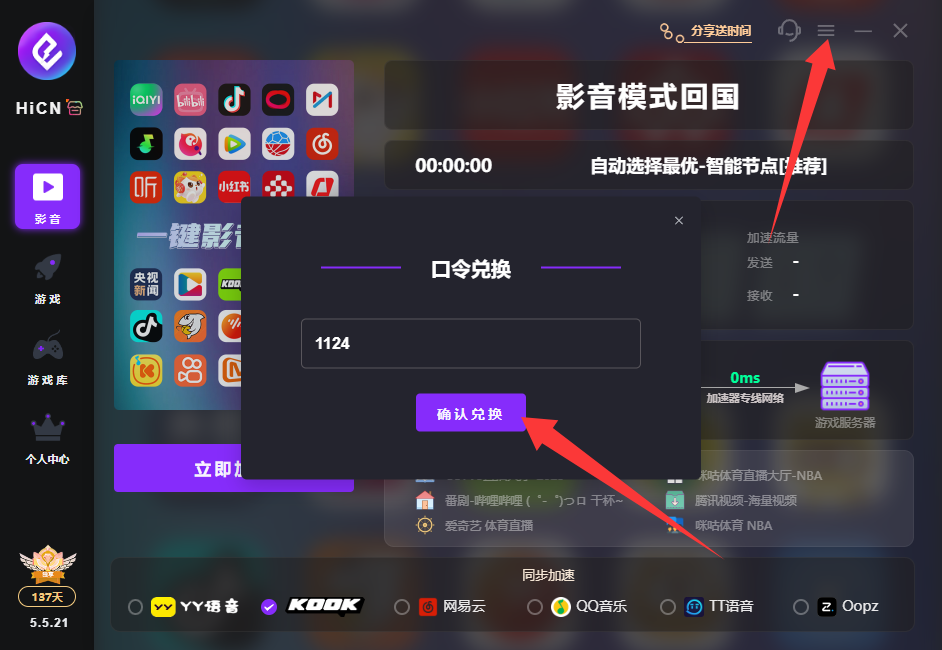
HiCN China Accelerator Exclusive Member Redemption Code: 1124