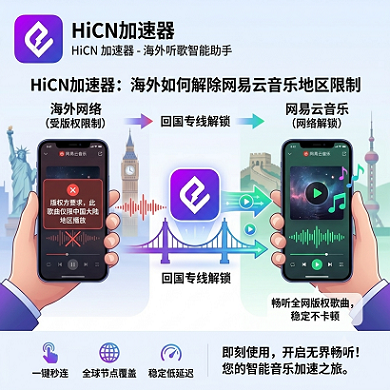
In Melbourne, when you open NetEase Cloud Music to listen to Jay Chou, the play button is grayed out; in Toronto, when browsing recommended playlists, seven out of ten songs just won't load; on the London Underground, you want to check out the comments under a song, but the comment section is completely blank—overseas Chinese and international students definitely know these experiences all too well.
Many people's first reaction is, 'NetEase Cloud has blocked me,' but the issue isn't that simple. The real reasons why your listening experience is poor can be summed up in three layers:
1. NetEase Cloud checks your 'network ID',—It checks which IP address you're coming from, and if it sees you're not in China, it restricts you immediately.
2. Even if you disguise your IP as domestic, the network route is too long—Connecting from the US back to China means your data travels halfway around the world, easily getting congested, so songs buffer and you can't switch to high quality.
3. NetEase Cloud is now very sensitive to proxies—Many free nodes are on its radar and get blocked frequently.
So, to solve this problem, you can't rely on a simple tool; you need something that can handle all three layers at once.
What are the three mainstream solutions on the market, and how do you choose?
Currently, there are basically three common options:
● Free VPNs or airport nodes: Free, but node quality is poor, often can't connect, and always lags during peak hours. Good for occasional emergency listening, not suitable for daily use.
● Local unlocking tools (such as UnblockNetease): This is open-source software that can switch music sources on your computer, letting you play certain songs. But it doesn't solve slow network issues, only works on computers, is troublesome to set up on mobile, and often downgrades audio quality.
● Professional China accelerator (such as HiCN): Specially designed for overseas connections to China, with dedicated lines, stable speeds, automatic fastest route selection, works on both mobile and computer, and one account can be used on multiple devices simultaneously.
The table below makes it clear at a glance:
Comparison Item | Free VPN/Node | Local Unlock Tool | Professional China Accelerator(such as HiCN) |
Can you listen to music? | Sometimes yes, sometimes no | Yes (on computer) | Stable |
Is loading speed fast? | Slow | Average (only switches music source) | Fast |
Will it disconnect after long listening? | Disconnects often | Not easy to disconnect | Very stable |
Lossless audio quality support | Very difficult | Average | No problem |
Are comments, MVs, etc. available? | Some are available | No | All available |
Can mobile and computer be used together? | Many restrictions | Only one computer | Multiple devices can connect freely |
Price | Free or a few dozen RMB | Free or a few dozen RMB | Thirty to forty RMB per month |
Trial period | Very short or none | None | 3-7days |
Legitimate and safe? | No guarantee | Open-source and transparent | Licensed |
Note: The above are general situations. You'll need to try it yourself, since everyone's home network is different.
Let's take HiCN as an example to see how a professional accelerator actually helps you
Accelerators like HiCN have several real advantages, simply put:
● Dual-route operation: It uses two network routes at the same time—if one is blocked, the other still works, so your music won't suddenly cut off.
● Automatically selects the fastest route: It detects your location on the globe and automatically picks the node with the lowest latency for you, so you don't have to mess with it yourself.
● Not just for music—also works for gaming, Bilibili, and streaming: One account covers all your needs for connecting to China.
● 30-day free trial: This is especially important. You can use it for a month, experience several peak hours, and see if it lags before deciding to buy.
Plus, HiCN is fully licensed—it's not a fly-by-night service that could disappear anytime, so it's more reliable for long-term use.
Five steps to set up—it's as easy as drinking water
Taking HiCN as an example, the process is super simple:
1. Register an account: Go to the official website and register with your email or phone number. New users get 30 days free immediately.
2. Download the client: Available for both computer and mobile; you can get it from the App Store or the official website. If you can't find it on iOS, just switch to a China or Hong Kong Apple ID.
3. Log in and select a node: Usually, just choose 'Smart Node' and it will pick for you automatically.
4. Click 'Connect': In a few seconds, it will show as connected.
5. Reopen NetEase Cloud Music: Now, when you click on those previously grayed-out songs, most of them will work. Try lossless quality, check comments, watch MVs—if everything works, you're all set.
Common minor issues you can fix yourself
If you're still having small issues after connecting, don't panic—check the following:
● Songs are still grayed out: Completely close NetEase Cloud and reopen it, or log out and log back in.
● Comment section is blank: Switch to a different node in the accelerator, e.g., from Shanghai to Beijing. That usually fixes it.
● Can't switch to lossless quality: The node's bandwidth may be insufficient. Try switching to a 'Dedicated Line' or 'Low Latency' node.
● Constant buffering: Check if your Wi-Fi signal is good, or try again at a different time. If it only lags around 7-8pm, that's peak hours—consider upgrading to a plan with guaranteed bandwidth.
● No internet after connecting on mobile: Turn off other VPNs, or restart your phone's network.
● Mac prompts 'can't open': Go to 'Privacy & Security' in system settings and click 'Open Anyway'.
● Can't find the app on iOS: Try searching with a China or Hong Kong Apple ID.
● Some devices don't work after router setup: Check the proxy mode in your router's settings and switch to 'Global' mode.
● A few songs still can't play: The platform may not have the copyright. Check QQ Music or Qishui Music—if they're missing there too, the song has been removed and it's unrelated to the accelerator.
● Disconnects when gaming and listening to music together: Switch to 'Game Mode' or 'E-sports Dedicated Line'.
● Can't connect multiple devices at once: You may have exceeded the simultaneous device limit. Kick unused devices from the backend or upgrade your plan.
● Forgot to cancel after trial ends: Just turn off auto-renewal in your personal center. You can still use it until the expiration date.
If none of these work, check the troubleshooting guide on the official website or contact customer service (Chinese, available 24/7).
How should different people choose? Here are three suggestions
● International students (on a budget, love music and gaming): Professional China accelerator is the top choice—one account works on both mobile and computer, and the 30-day trial is enough for thorough testing.
● Office workers (mainly for work, music as background): Also recommend a professional accelerator—it's licensed and legitimate, so you don't have to worry about privacy. Connect at work during the day, listen to music at night—very convenient.
● Families with elderly or children: Strongly recommend buying the router version of the accelerator. Set it up once, and all TVs, tablets, and phones in the house are automatically accelerated—super convenient.
A few frequently asked questions
Q: Do I need to bind a card for the trial? Will it auto-charge me?
A: No card binding required for the trial. If you actively subscribe, remember to turn off auto-renewal in your personal center—otherwise, it will charge you at expiration.
Q: Will NetEase Cloud record my listening habits if I use this accelerator?
A: The accelerator only transmits data; it doesn't store your listening records. Your playlists and preferences are managed by NetEase Cloud itself.
Q: Can I use it on both my phone and computer at the same time? Do I need to pay twice?
A: No, one account can log in on phone, tablet, and computer at the same time with no extra charge.
Q: Is there a big difference between a 1-day trial and a 30-day trial?
A: Huge difference. With 1 day, you can only test during the day and can't see if it lags during peak hours. With 30 days, you can experience several peak periods for a more reliable conclusion.
Q: Can I use it in Europe, Australia, and the US?
A: Yes, HiCN nodes cover major cities in China and can be connected from anywhere in the world. Actual speed depends on your local network—use the trial to test for yourself.
Final summary: just remember these three points
1. You must solve all three issues: 'IP disguise, slow network, and platform risk control', relying on free nodes or local tools alone is not enough.
2. Be sure to choose one with a long enough trial period, at least long enough to test during peak hours, otherwise you can't see the real performance.
3. Prioritize licensed and legitimate options, don't use those with unknown origins—privacy and security are not guaranteed.
If all three are met, you can use it with confidence. If not, try something else.
What should you do next?
If you're currently frustrated with NetEase Cloud, just get a China accelerator that supports free trials and multi-device login. Test it yourself during peak hours for a few days, and only renew if it works well. You can also watch Bilibili, stream shows, and play Chinese server games—all in one, worry-free and effortless.
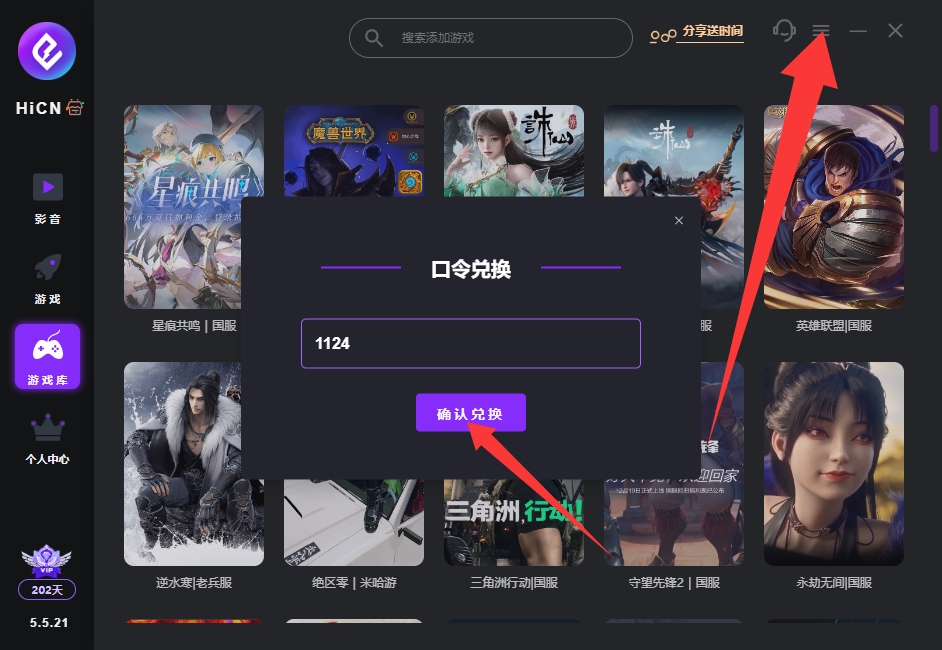
HiCN China Accelerator exclusive membership code: 1124