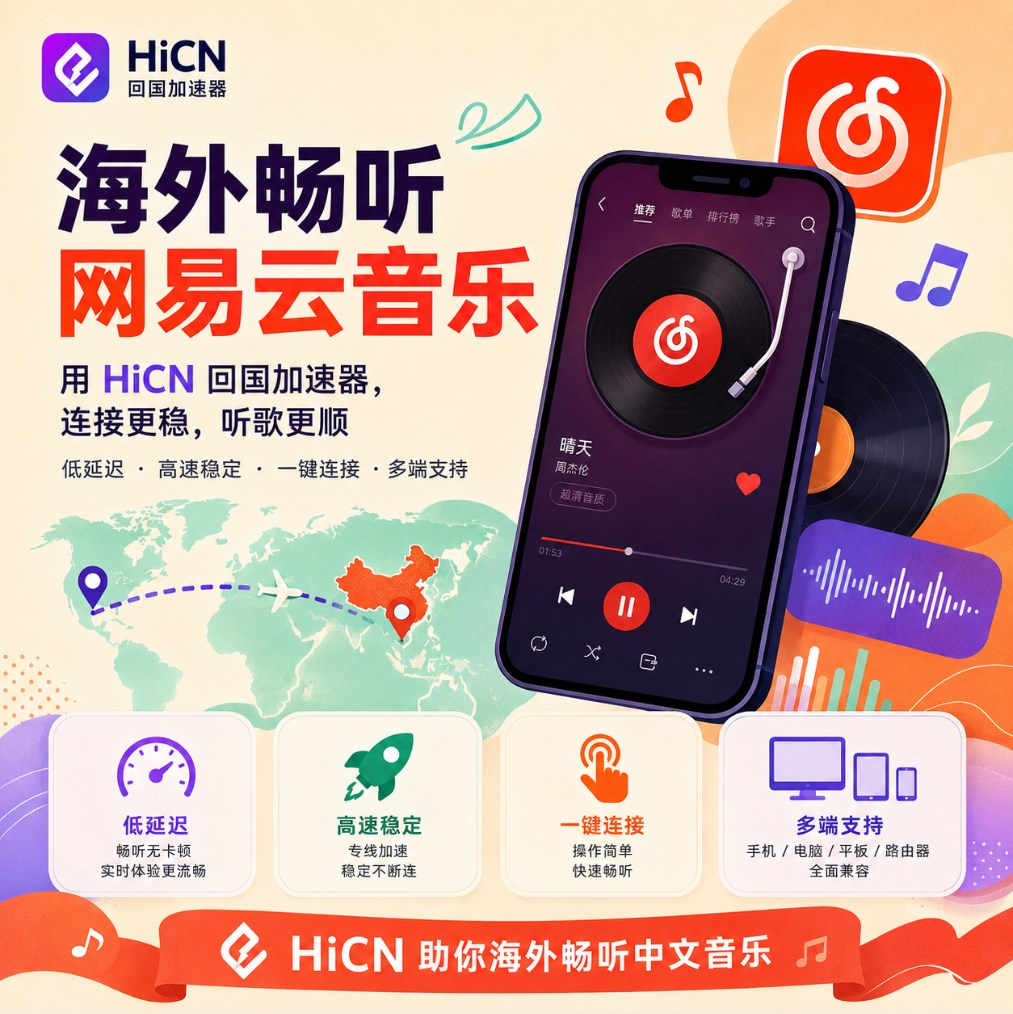
Why do songs in my NetEase Cloud Music playlist suddenly stop playing when I'm abroad?
Many overseas users have had this experience:
The NetEase Cloud Music playlists you organized before going abroad are still there when you arrive.
When you want to listen to familiar music on a plane, during your commute, or while studying, you find that:
● Saved songs are grayed out;
● Clicking on songs yields no response;
● Playlists appear incomplete;
● The comment section loads slowly;
● Switching songs takes a long time.
For the average user, this situation is quite confusing.
Because:
The account is still active;
The playlists are still there;
The app opens normally.
But the actual playback experience has changed.
This is mainly related to the overseas network environment, service connection status, and usage conditions in different regions.
What are the common symptoms of NetEase Cloud Music issues abroad?
The problems encountered by different users are not exactly the same.
They can be simply categorized into several scenarios:
Usage Scenario | Common Symptom |
Opening Playlists | Some songs appear grayed out |
Searching Music | Some content cannot be played normally |
Playing Songs | Long loading times |
Viewing Comments | Page refreshes slowly |
Playing High-Quality Music | Prone to buffering |
Using Mobile Data | Noticeable instability |
Therefore, before solving overseas music listening issues, you need to first determine which category it falls into.
Why does the experience of using domestic music apps change abroad?
Many users think:
"My internet speed is clearly very fast, so why do I still have problems listening to music?"
The reason is:
Internet speed and connection experience are not exactly the same.
For example:
Browsing overseas websites:
Overseas Device → Local Network → Service Node
Using domestic music apps:
Overseas Device → Cross-regional Network Connection → Domestic Service
The data transmission environments for both are different.
Factors affecting the overseas music listening experience mainly include:
Factor | Impact on Experience |
Country and Region | Distance affects response speed |
Network Route | Affects connection stability |
Wi-Fi Environment | Affects continuous playback |
Time of Use | May vary during peak hours |
Device Status | Affects app performance |
Therefore, when using domestic apps abroad, the focus is not just on broadband speed, but also on the overall quality of the network connection.
Why do overseas students need a stable network more than anyone else?
For many students abroad, NetEase Cloud Music is not just an entertainment tool.
In daily life:
On the way to class
Open saved playlists and listen to familiar music.
During study sessions
Play background music to improve study efficiency.
Weekend breaks
Listen to music, watch videos, and play games on domestic servers.
Communicating with friends back home
Share playlists and maintain familiar lifestyle habits.
Therefore, once music playback becomes unstable, it affects many daily scenarios.
What checks can you perform when encountering grayed-out songs on NetEase Cloud Music?
1. Check your local network environment
First, confirm:
● Whether other websites are working normally;
● Whether the Wi-Fi is stable;
● Whether any devices are consuming large amounts of bandwidth.
For example:
A computer is downloading large files;
A phone is performing automatic updates;
A TV is streaming high-definition video.
These situations will affect real-time network experience.
2. Update the player version
Some users who do not update the app for a long time may also encounter:
● Functional abnormalities;
● Cache errors;
● Playback loading issues.
It is recommended to keep:
● NetEase Cloud Music updated to the latest version;
● Your phone system updated;
● Long-term cache cleared.
3. Use a return-to-China accelerator to optimize network connections
If there are no obvious issues with your local network, but the domestic music app experience remains unstable, you can consider using a return-to-China accelerator for network optimization.
HiCN return-to-China accelerator mainly serves overseas Chinese, students, and long-term overseas users.
By optimizing the network path between overseas devices and domestic services, it helps improve:
● Music loading speed;
● App connection stability;
● Domestic video and audio usage experience.
At the same time, HiCN is not only suitable for music scenarios but also supports acceleration for games on domestic servers.
Which overseas users is the HiCN return-to-China accelerator suitable for?
Based on actual usage scenarios, the following users are more suitable:
1. Overseas Students
Common needs:
● Listen to domestic music;
● Watch domestic programs;
● Play games on domestic servers;
● Maintain entertainment connections with friends back home.
2. Overseas Chinese
Living abroad long-term:
● Retain domestic entertainment habits;
● Use familiar music and video apps.
3. Domestic Server Gamers
Besides listening to music, they also need:
● Game network optimization;
● Reduced game latency;
● Stable multiplayer gaming experience.
Which devices does HiCN support?
The device environment for overseas users is quite complex.
Some use computers;
Some rely mainly on mobile phones;
Others hope to use multiple devices in the household together.
HiCN supports:
Device | Usage Scenario |
Windows | PC gaming, music, video/audio |
iOS | iPhone, iPad |
Android | Phones and tablets |
Router | Multiple home devices |
For example:
Listening to music on a phone during the day;
Playing games on a computer at night;
Watching content on a TV or tablet on weekends.
Different devices can be chosen according to needs.
Why are overseas users more concerned about "one solution for multiple purposes"?
In the past, many users might have installed different tools for different needs.
For example:
One for music;
One for gaming;
Another for video/audio.
But in overseas life, what is really needed is:
A stable solution that covers multiple scenarios.
In addition to supporting domestic music apps, the HiCN return-to-China accelerator is also suitable for:
● Domestic server games;
● Domestic video/audio;
● Daily network optimization.
For long-term overseas users, reducing switching costs is much more convenient.
What is the difference between HiCN and ordinary network tools?
When choosing a network optimization solution, you can pay attention to several aspects:
Comparison Item | Ordinary Network Methods | HiCN Return-to-China Accelerator |
Usage Method | Requires manual adjustment | Client-side operation |
Supported Devices | Depends on the tool | Windows/iOS/Android/Router |
Usage Scenarios | Mostly single-purpose | Gaming + Video + Music |
Target Audience | Temporary users | Long-term overseas users |
Operational Difficulty | May be quite complex | More suitable for average users |
For users unfamiliar with network settings, simple operation is more important.
How to test the optimization effect for NetEase Cloud Music?
It is recommended not to test just once.
You can test according to your real-life experience:
Test Item | Observation Content |
Opening the App | Loading speed |
Playing songs | Continuous playback stability |
Switching playlists | Response speed |
High-quality music | Playback status |
Long-term use | Whether it is stable |
Switching between phone and computer | Multi-device experience |
It is best to test with the playlists you listen to most often.
How to experience the 3-7 day free trial for new HiCN users?
HiCN offers a 3 to 7-day free trial for new users.
It is recommended to experience it according to your real needs:
Day 1:
Test NetEase Cloud Music playback.
Day 2:
Test the experience at different times of the day.
Day 3:
Experience domestic server game acceleration.
Follow-up:
Test Windows, iOS, Android, and router solutions.
Through actual use, it is easier to judge whether it meets your needs.
Besides NetEase Cloud Music, what other needs are there for overseas life?
For overseas users, network needs are usually quite diverse.
For example:
● Listen to domestic music;
● Watch domestic programs;
● Play games on domestic servers;
● Use domestic apps.
The HiCN return-to-China accelerator can cover these daily scenarios.
Whether it is:
Student dorms;
Overseas households;
Long-term overseas living environments;
You can choose the appropriate solution based on your device situation.
Summary: For listening to NetEase Cloud Music abroad, a stable experience is more important than a single setting.
Situations like grayed-out songs or playback abnormalities on NetEase Cloud Music abroad are usually related to the network environment, connection quality, and device usage habits.
For overseas Chinese and students, you can first optimize your local network environment, and then choose a return-to-China acceleration solution that suits you.
HiCN return-to-China accelerator supports Windows, iOS, Android, and routers, and is not only suitable for optimizing domestic music experiences but also supports domestic server gaming, video, and other usage needs.
New users get a 3 to 7-day free trial, which you can use to test based on your region, devices, and daily usage scenarios.
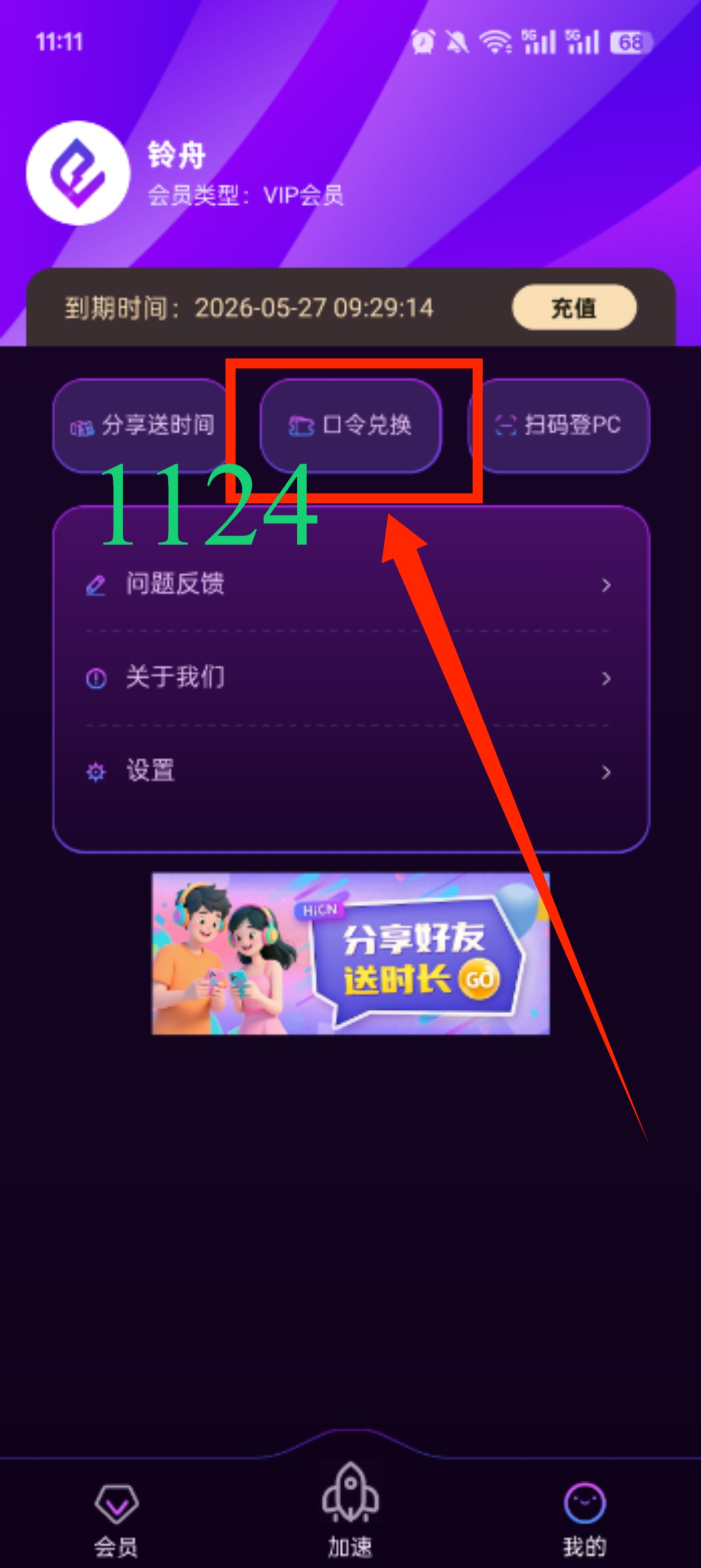
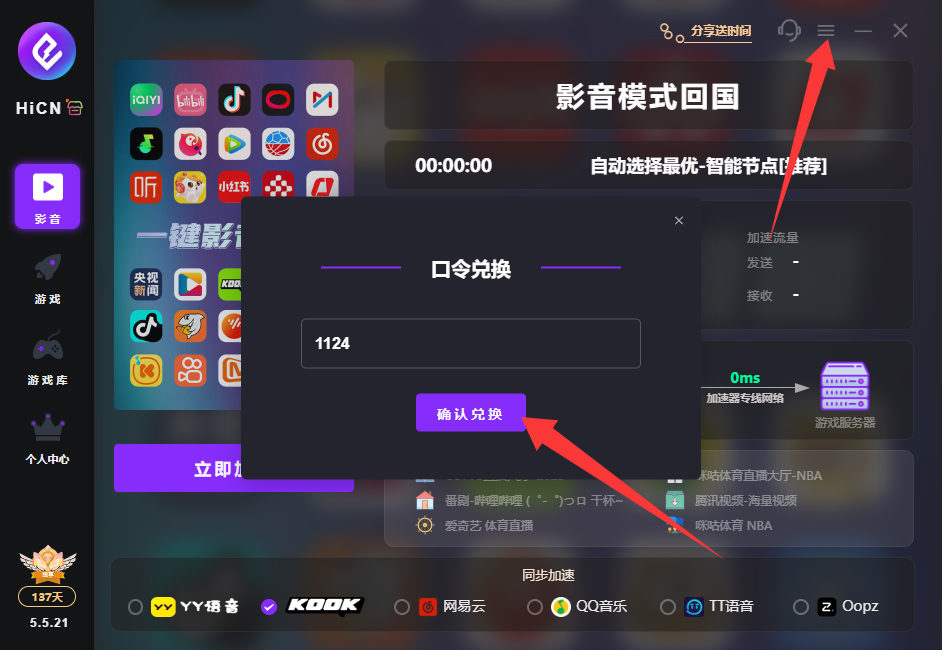
Enter code 1124 to receive free HiCN membership acceleration time.