
After studying abroad or living overseas for a long time, many people's entertainment habits remain unchanged. Watching an episode of a domestic drama during dinner, catching up on variety shows over the weekend, and playing a few rounds of domestic server games with friends back home at night remain part of the daily routine for many overseas Chinese.
However, after switching to an overseas network environment, when using domestic video apps like iQIYI, you may sometimes encounterlong loading times, buffering during playback, unstable HD quality, or degraded performance during evening hours.
In such cases, simply upgrading your broadband plan may not necessarily solve the problem. This is because watching domestic video content from abroad is affected not only by local internet speed but also by Wi-Fi quality, cross-border transmission distance, and network route fluctuations.
If this happens frequently, you can try using HiCN Acceleratorto improve the connection performance when accessing domestic network applications from abroad. For students who need to watch dramas, listen to music, and play domestic games, it can also reduce the hassle of repeatedly configuring network settings for different scenarios.
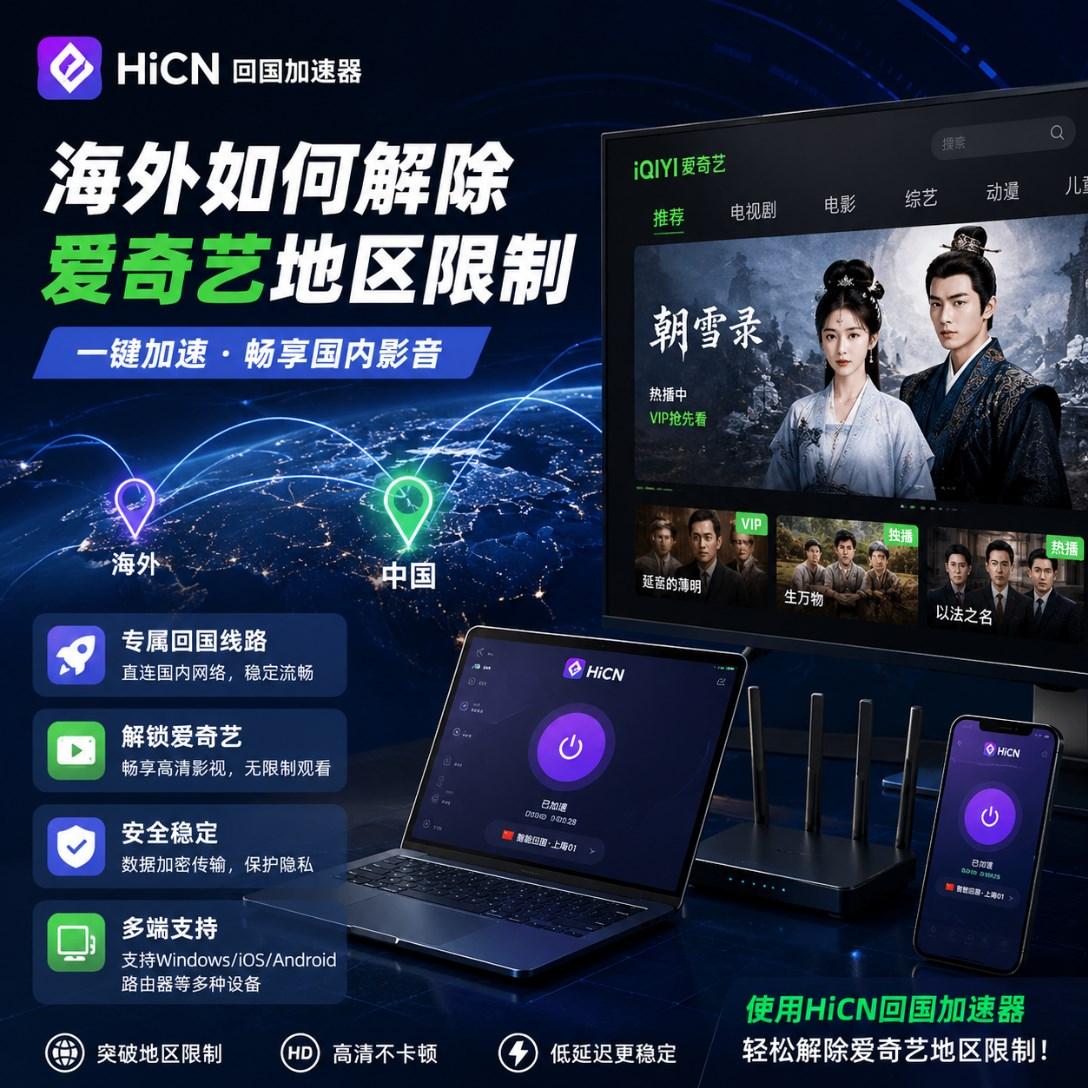
Watching domestic dramas from abroad: Why is it still not smooth even with 'fast internet speed'?
The primary standard most people use to judge their network is a speed test.
Seeing numbers like 300Mbps, 500Mbps, or even higher, one naturally assumes that HD video playback will definitely not lag.
In reality, speed test results only reflect a portion of the network status.
When overseas devices connect to domestic applications, data must undergo a longer transmission process. Even if your home broadband is fast enough, if there is significant latency or fluctuation in the intermediate routes, it will still ultimately affect the player.
For example, the following situations are quite typical:
Phenomenon | Troubleshooting Direction |
Long wait for video to start | Network response and connection route |
HD quality prone to buffering | Continuous network transmission capacity |
Slower at night than during the day | Network load during peak hours |
Lagging after watching for a while | Long-term route stability |
Phone is normal, computer is slow | Device or Wi-Fi status |
Domestic apps generally slow | Cross-border network connection |
Therefore, when it comes to the overseas video experience, don't just look at the 'maximum speed'; it is more important to focus onwhether the entire viewing process is stable.
Before rushing to adjust software, check your home network environment
If you find iQIYI playback is not smooth, you can spend a few minutes checking your local network first.
If overseas websites, video conferences, and file downloads are all slowing down simultaneously, prioritizing Wi-Fi or broadband issues will be more effective.
Especially in student dorms and shared living environments, you can focus on checking three areas.
Is the Wi-Fi signal strong enough?
If your bedroom is too far from the router and separated by several walls, it may cause wireless signal attenuation.
You can try moving closer to the router for a comparative test.
Are there programs hogging bandwidth in the background?
Automatic game updates, system downloads, photo backups, and cloud synchronization can all quietly consume bandwidth.
Pausing these tasks before watching shows can reduce local network pressure.
Are too many devices connected to the same network?
Evenings are often the busiest time for dorm networks.
With people gaming, watching HD videos, and joining video conferences, the actual experience may naturally decline when multiple devices use Wi-Fi simultaneously.
If these aspects are normal but the problem is mainly concentrated in domestic applications, then the next step is to consider optimizing the network route back to China.
HiCN Accelerator: Suitable for frequent users of domestic apps abroad
For overseas Chinese and international students, there are usually many scenarios where domestic networks are used.
You might listen to Chinese songs in the morning, open iQIYI to catch up on dramas at night, watch domestic variety shows on weekends, and play domestic games with friends when you have time.
In this case, rather than dealing with network issues individually every time they occur, you can use HiCN Acceleratorfor unified network optimization.
HiCN mainly optimizes the routes for overseas connections to domestic network applications, making it suitable for:
Domestic video + Chinese music + Domestic server gamesand other daily scenarios.
A single set of tools can cover the common entertainment needs of international students.
Using iQIYI abroad: You can optimize it with this method
The entire operation does not require complex network knowledge.
Step 1: Ensure basic network is normal
First, test regular web pages and local network applications.
If everything is slow, solve the Wi-Fi or broadband issue first.
Step 2: Open HiCN
Launch the HiCN Accelerator and select the appropriate network route based on your current video usage needs.
Step 3: Start iQIYI
Wait for the network acceleration connection to stabilize, then open iQIYI and play the content you intend to watch.
Step 4: Test with your usual quality settings
If you are used to watching HD content, test that specific quality directly.
Play for a continuous period to observe if it is stable.
Step 5: Adjust the route if necessary
Network conditions vary by region, local ISP, and time of day.
If the current route shows persistent and obvious fluctuations, you can switch to other available routes for testing.
Once you find the option that works for you, just stay connected.
Continue playing domestic games after finishing your show without needing to prepare new tools
For overseas students, the usage scenarios for HiCN are not limited to iQIYI.
For example, after finishing an episode of a drama at night, if friends back home come online to play games, you can switch to the game acceleration mode directly according to your needs.
When playing domestic games like Honor of Kings, League of Legends, Delta Force, Genshin Impact, or Lord of the Mysteries from abroad, you need to pay more attention to Ping and network fluctuations.
If you experience slow skill response, stuttering character movement, or sudden spikes in latency during matches, you can use HiCN forgame acceleration and latency optimization.
Although both video and gaming require a network, the focus differs:
Usage Scenario | More Worthy of Attention |
iQIYI Drama Bingeing | Long-term playback stability |
Domestic Variety Shows | Continuous HD data transmission |
Chinese Music | Loading and continuous playback |
Domestic Server Games | Ping and latency fluctuations |
Choosing the corresponding network optimization method based on the scenario will better meet your actual usage needs.
Covers mobile phones, computers, and home multi-device environments
Overseas users don't always watch dramas on a fixed computer.
In the dorm, you might use a Windows laptop, switch to an iPad before bed, and use an Android phone after going out.
Therefore, multi-device support is very important.
HiCN currently supports:
● Windows: Suitable for PC drama watching and domestic server games;
● iOS: Covers iPhone, iPad, and other devices;
● Android: Suitable for Android phones and tablets;
● Router: Suitable for home multi-device network environments.
If it is for personal use only, just choose the corresponding client.
If you have multiple devices like phones, computers, and tablets at home, you can consider the router solution based on your actual network environment.
Which overseas users should try a return-to-China accelerator?
If you only open domestic apps occasionally and the current playback is always stable, there is no need to repeatedly adjust the network just to chase a speed test number.
However, if the following situations occur frequently, you can try route optimization:
iQIYI HD playback frequently buffers;
Connection to domestic apps is significantly slower at night;
Domestic music loading experience is unstable;
Domestic server game Ping fluctuations are quite obvious;
Both mobile and computer require domestic app usage.
Especially for international students and overseas Chinese living abroad long-term, who often switch between videos, music, and games multiple times a day, using a unified network acceleration tool will be more convenient.
Use the free trial to test your real network directly
The network experience back to China is affected by various factors such as location, broadband ISP, Wi-Fi environment, and usage time, so it is best to test the actual effect yourself.
HiCN offers new users a3–7 day free trial.
It is recommended not to test only during the day when the network is at its best.
You can choose the evening hours when problems are most likely to occur, and continuously perform:
iQIYI HD drama watching → Chinese music playback → Domestic video test → Domestic server game match.
Through these real usage scenarios, determine whether the route stability meets your needs.
Summary
When using iQIYI abroad, if you encounter slow loading, frequent HD buffering, or degraded network performance at night, you don't necessarily need to upgrade your broadband immediately.
A more effective approach is to first check Wi-Fi, background downloads, and device network status, and then optimize the route for connecting to domestic applications from abroad.
For overseas Chinese and international students who frequentlywatch domestic dramas and variety shows, listen to Chinese music, and play domestic server games, you can use HiCN Acceleratorto improve the network connection experience in different scenarios.
HiCN supports Windows, iOS, Android, and routers. New users can enjoy a 3–7 day free trial; test it first and then choose according to your actual network environment.
Finally, a quick note on new user benefits: entercode 1124to receive free membership acceleration time.