
Honestly, when you're abroad and open NetEase Cloud Music, the most frustrating part isn't that it "doesn't work," but that it "clearly works, but something just feels off."
The music plays, but the cover art takes forever to load; comments load, but you realize the text is misaligned once they appear; you press skip, and you have to wait three seconds before it decides to respond; after 10 PM, the whole app acts like it's been sedated—you tap it, and it responds at its own pace.
I recently chatted with a few friends in different parts of the world and compiled three representative scenarios. All data is labeled as "anonymous typical test results"; these are not vendor claims or official promises from anyone—just the actual experience at that time and place, to provide some direction for those struggling with this issue.
Data Scope Explanation: All latency, loading waits, and switching times below are based on comparative tests using samples collected by multiple anonymous users at different times and in different regions,representing only improvement directions in typical scenarios. Actual performance will be affected by your location, ISP, and home Wi-Fi conditions,and does not constitute a guarantee for all network environments.
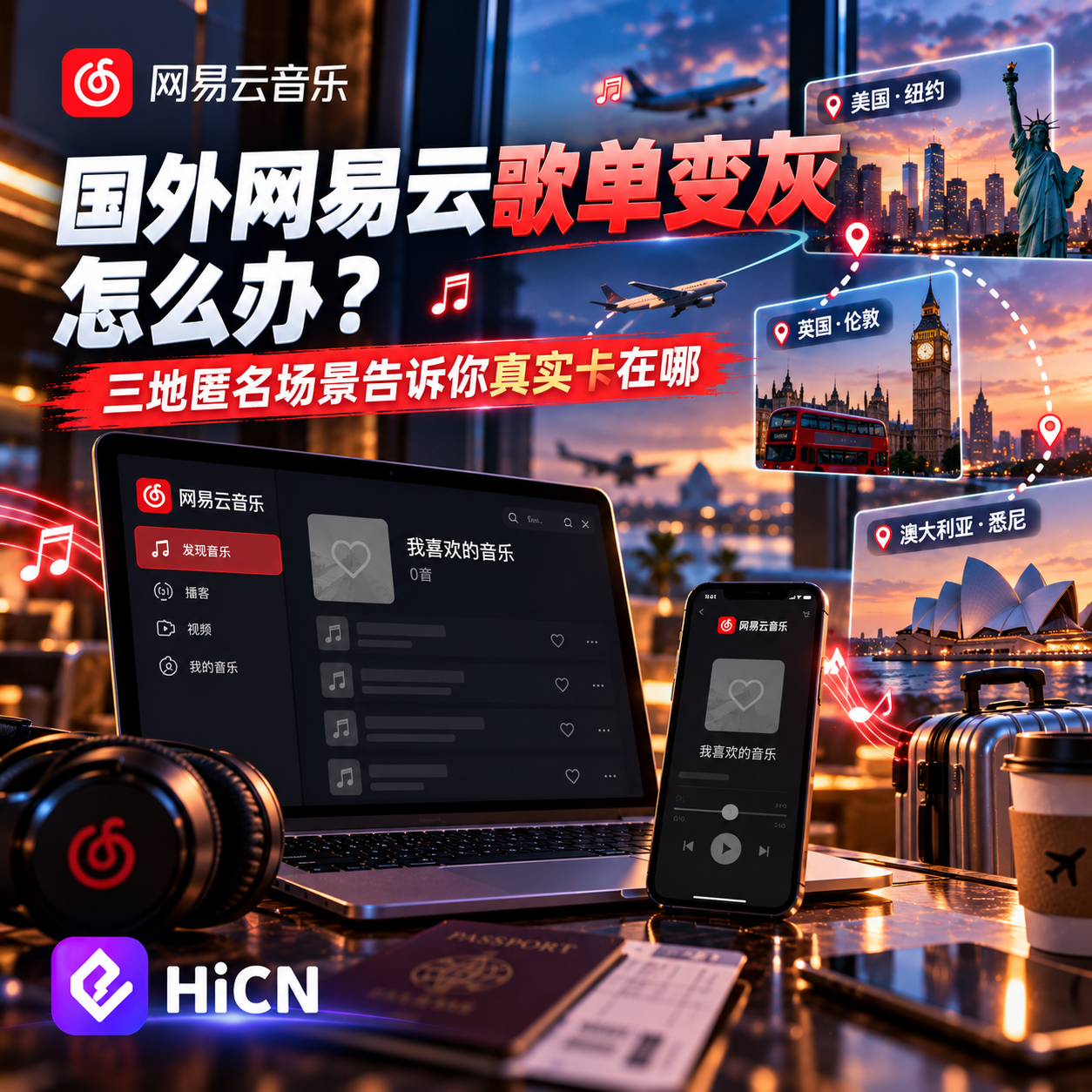
Scenario 1: US East Coast—It plays, but you're waiting between every song
Where the problem lies
Alex is a grad student on the US East Coast and basically relies on NetEase Cloud Music to get through his days. After a few months, he noticed a pattern:
● Standard qualityplays—but the moment you press "Next," the app takes at leastthree to five secondsto react;
● Playlist covers, lyrics, and comment section avatarsshow a blank screen half the time in six out of ten cases, and even when they load, the layout is misaligned;
● On the "Personal FM" page,the first screen recommendations take over eight seconds to load, and it lags again if you skip a song;
● The most absurd part is that even though the song is in the playlist,clicking it triggers a "Resource temporarily unavailable" error.
He initially thought it was the app's fault, so he reinstalled it, cleared the cache, and switched between Wi-Fi and cellular—after all that, the problem persisted.
How it was diagnosed
Separating "music plays" from "slow skipping" reveals that these are actually two different issues:
Symptom | Likely Cause |
Music plays | Overseas nodes don't throttle audio streams as strictly, and adaptive bitrate barely manages to run |
Skipping, covers, and comments spinning | List, comment, and recommendation interfaces all need tofetch data from China in real-time, and the cross-border round trip is slow |
"Resource temporarily unavailable" | The song has no distribution export for overseas IP segments; the platform restricts access by region |
In other words—the audio stream gets through, but it's dragged down by the round-trip of real-time interfaces. Changing DNS or system proxies won't help here, because it's not an exit issue, but a link issue.
What was done later
Alex tried two paths:
1. Manually enabling a system proxy, which resulted in everything else slowing down—not worth it;
2. In the Android client QR code client, he checked "Audio/Video Scenario," selected a Mainland China node, waited for it to show connected, and then opened NetEase Cloud.
Anonymous Typical Test Results
In the same environment and similar time slots, the comparative data looks like this (for directional reference only):
Metric | No Acceleration | HiCN Audio/Video Scenario Example | Notes |
Skip to playback start | approx. 3–5 seconds | approx. 1–2 seconds | Higher bitrate and later time slots show more obvious gaps |
Comment section first-screen load | approx. 8–12 seconds | approx. 2–4 seconds | More comments lead to more obvious improvements |
Personal FM first-screen recommendation | approx. 8+ seconds | approx. 3–4 seconds | Recommendation interface relies on link stability |
Average Ping (US East → Shanghai) | approx. 380–420ms | approx. 80–120ms | Not zero latency, just more stable |
One more thing to emphasize:80ms is not zero latency. The physical distance of the cross-border route is there; what's improved isn't the distance, but thefluctuation and node path—it jitters less, packet loss is reduced, and interface responses become "predictable."
Scenario 2: Frankfurt, Germany—Like hitting the pause button after the evening peak
Where the problem lies
Mira is an undergrad in Frankfurt who likes to listen to music while writing essays between 9 PM and 11 PM (3 AM to 5 AM Beijing time). She tracked the situation for a week:
● Stable during the day,but things get weird after 9 PM;
● Comments, lyrics, and recommendationsneed to be refreshed every few minutes, and the spinning wheel when skipping songs is constant;
● During peak hours,Personal FM disconnects about once every half hour, requiring manual reconnection;
● After reconnecting,it likely disconnects again on its own after a few minutes.
How it was diagnosed
She pondered why this happened:
● Evening is the peak congestion time for cross-border public networks—the international exit from Europe to Mainland China starts to jitter after 9 PM local time; once packet loss and jitter spike, the experience collapses;
● NetEase Cloud's interfaces are very sensitive to link stability—features like comments and recommendations use long connections; as soon as the link jitters, it retries repeatedly, which manifests as "white screen → reconnect → white screen again";
● Her home Wi-Fi uses the ISP's default routing, with no optimization for returning to China,and there are no backup paths on the link.
What was done later
She later opened the Audio/Video Scenario + Smart Routing mode in the Android client QR code client:
● The client defaults tomulti-node redundancy, automatically switching to a backup if the main node jitters;
● In the audio/video scenario, nodesprioritize paths that are friendlier to domestic streaming media.
Anonymous Typical Test Results
The comparison between 9 PM and 11 PM (CET) had a gap that surprised even her:
Metric | No Acceleration | HiCN Audio/Video Scenario Example | Notes |
Single song buffering wait | approx. 25–35 seconds | approx. 2–4 seconds | This item shows the most obvious improvement |
Disconnections within an hour | approx. 3–5 times | approx. 0–1 time | Evening peak improvement is greater than during the day |
Comment loading failure (subjective) | High | Significantly reduced | Depends on comment count and node quality |
Node switching perception | — | Switching is basically imperceptible | Automatically completed in audio/video scenario |
For Mira, the most useful part wasn't "latency dropping to two digits," butthe fact that the "gambling on skipping a song" state is gone. In her words, "At least I can listen to a song in peace."
Scenario 3: Sydney—Personal FM skipping feels like turning pages
Where the problem lies
Theo works in Sydney and relies on NetEase Cloud's "Personal FM" as background noise during his daily commute. The issues are:
● Skipping a song takes four to eight secondsto play the next one;
● Occasionally, a "Playback failed, please retry" message appears, but it works when you click retry;
● Actions like liking or favoritingare slow to react, sometimes only syncing to other devices the next day.
How it was diagnosed
Personal FM and daily recommendations are much more demanding than regular playlists:
● Recommendation results arecalculated in real-time on the server and then pushed back; if the link jitters, it immediately turns into "slow loading";
● The likes, skipped songs, and favorited albums you clickall need to be written back to the server—if the link is unstable, the action looks "successful" but doesn't take effect;
● Common paths from Sydney to Mainland Chinahave many hops, and the base RTT is already higher than in North America or Europe.
What was done later
Theo has a variety of devices—a phone for commuting, a Windows PC at home, and smart speakers and TV boxes. His solution:
● Open the Android client QR code audio/video scenario route on his phone during the commute;
● Keep the connection active on his Windows PC at home;
● Use a router-level solutionto add another layer, letting the speakers and TV box use the same node.
Anonymous Typical Test Results
The comparison for Sydney → Shanghai in anonymous samples looks like this:
Metric | No Acceleration | HiCN Audio/Video Scenario Example | Notes |
Personal FM skip to next song | approx. 4–8 seconds | approx. 1–3 seconds | Mainly depends on recommendation interface response time |
Like/Favorite write-back | Occasional latency | Basically real-time | Link stability determines perception |
Average Ping | approx. 350–450ms | approx. 120–180ms | Sydney → Shanghai direction |
Multiple devices used simultaneously | Competing for bandwidth | PC, phone, and router scheduled separately | Router solution requires client support |
Theo later told his friends thatPersonal FM doesn't feel like turning pages anymore; it's more like listening continuously in China. Of course, he added—"The distance is still there, but I don't have to be on edge all the time."
Why these three types of problems often need the same solution
Looking at the three scenarios together, you'll find that NetEase Cloud abroad "falling short"is rarely a single-point failure. It's usually a combination of these issues:
● Playlist grayed out, "Resource temporarily unavailable"—that's the regional distribution layer;
● Comment section and recommendation white screen—that's cross-border latency for real-time interfaces;
● Personal FM slow skipping—that's the two-way round trip for recommendation + write-back interfaces;
● Evening peak disconnection—that's cross-border public network congestion + no redundancy;
● Inconsistent experience across home devices—each device takes a different local path; optimizing only one is like not optimizing at all.
If you only address one of these, the effect is limited:
● Changing DNS doesn't solve RTT accumulation;
● Optimizing only the audio stream still leaves comments and recommendations as white screens;
● Optimizing only one device leaves others lagging;
● Using only one nodewithout a backup path leaves you helpless when it jitters.
This is why Android client QR code thisfull-link switchingapproach is more effective—it doesn't just "apply a patch"; it handles the exit, nodes, paths, and redundancy all at once.Covering Windows, iOS, Android, and routersmeans you don't have to switch solutions between your phone and computer; once you get home and turn on the router, all devices in the house become stable.
Android client QR code supports Windows, iOS, Android, and routers,new users get a 3-7 day free trial, so run your baseline and comparison during your most used time slots before deciding whether to use it long-term.
Who would find this useful
After talking to people, I found this approach is best for these groups:
● International students / new immigrants in the US, Canada, and Australia—they can't live without NetEase Cloud for commuting and studying, and have requirements for latency and stability;
● International students in Europe—evening peaks overlap with Beijing time, making cross-border congestion more obvious, so full-link switching yields greater benefits;
● People who use NetEase Cloud as "daily background noise"—compared to "listening to a song occasionally," they care more about "opening it and playing, no waiting to skip, and comments loading";
● People with multiple devices at home—PCs, phones, smart speakers, and TV boxes all running domestic content;one-time configuration covering the whole houseis much more worry-free than tinkering with each one.
Conversely, if you onlyopen it occasionally, aren't sensitive to loading times, and don't really read comments—then the problem isn't that big, and whether to install a return-to-China accelerator or look at Android client QR code how to use itis entirely up to your own needs.
How to avoid the illusion of "fast today, slow tomorrow" when self-testing
No matter whose solution you look at, the easiest trap to fall into istesting only once—taking a single lowest latency as the conclusion. This kind of testing is basically meaningless.
Here are a few principles we use for your reference:
1. Record the baseline first: Same time, same song, same device, test 3–5 times and take the median;
2. Keep variables as fixed as possible: Don't change Wi-Fi environment, device model, or ISP midway;
3. Don't just look at the lowest latency, look at the fluctuation—on this cross-border path,stability is more important than absolute values;
4. Test at different times: Run a round during the day, evening peak, and early morning;testing only during the evening peak basically determines the experience;
5. Don't blame platform issues on the network—NetEase Cloud itself occasionally has server-side glitches; you can see similar official explanations in public reports, so rule this out before drawing conclusions.
To reproduce this, you can Android client QR code download a client from the official website and follow the "Audio/Video Scenario → Mainland China Node" processto run your own baseline and comparison. The point isn't the single lowest Ping, butwhether it remains stable for a continuous half hour or hour during the evening peak.
Final thoughts
The issue of "NetEase Cloud falling short abroad" isnot the app's fault. The real culprit is the cross-border round-trip path of data interfaces.
The audio stream itself can get through, but features thatrely on real-time interfaceslike comments, recommendations, and likes are amplified into "lag, white screens, and disconnects" by unstable links. This doesn't vary by country—US East, Germany, Sydney,the problems encountered look almost identical.
If you happen to be abroad and are repeatedly bothered by this state, you can first Android client QR code download a client from the official website,new users get a 3-7 day free trial,use the code 1124 to get free membership acceleration time,Windows, iOS, Android, and routers are all supported, and it is recommended to conduct tests during yourmost used evening peak hoursbefore deciding whether to use it long-term.
Usage Tip: The network tools mentioned in this article are only applicable to legal use scenarios in overseas regions. Please ensure that the relevant laws and regulations in your country and region allow the use of such tools. This article does not constitute legal advice.
References and Further Reading:
● NetEase Cloud Music Official Page:NetEase Cloud Music
● Mac/Linux NetEase Cloud Music Local Optimization Open Source Project (GitHub):GitHub - yi-ji/NeteaseMusicAbroad: Unblock regional restrictions for NeteaseCloudMusic on macOS/Linux. NetEase Cloud Music macOS/Linux unlock song region restrictions. · GitHub
● HiCN Return-to-China Accelerator Official Website (Windows / iOS / Android / Router support, Audio/Video Scenario route):Android client QR code