
I. How do regional restrictions occur?
Tencent Video's regional restrictions are mainly triggered by two layers of mechanisms:
1. IP geolocation identification: The Tencent Video server determines the user's region based on the client's egress IP. Only when the IP hits a mainland China IP range will it return the full content list and high-bitrate playback addresses.
2. Secondary verification via account and device dimensions: Device ID, payment method, and registration region under the logged-in state also participate in risk control decisions. Even if the IP matches, some content may still be identified as "non-compliant login," triggering bitrate reduction or blocking.
Common "region unavailable" prompts, resolution being compressed to 480p / 720p, and errors in live sports streaming are basically the result of these two overlapping mechanisms. The room for intervention for overseas users is concentrated on the "egress IP" and "network path"—which is the starting point for the three types of solutions compared in this article.
II. Positioning and Target Audience of Three Types of Back-to-China Paths
2.1 Path 1: Tencent Video Official WeTV International Version
WeTV is an independent application launched by Tencent Video for the overseas market. Its operating entity and content library are not the same as those of Tencent Video in mainland China.
Advantages:
● Compliant channel, does not rely on third-party tools
● Covers most regions including Southeast Asia, the Middle East, Africa, and South America
● Within the covered regions, 1080p resolution can usually be output stably
Limitations:
● The content library is significantly smaller than that of domestic Tencent Video; many mainland-exclusive dramas, popular variety shows, and live sports are not available on WeTV
● In regions like the United States, Canada, the UK, and Australia, WeTV's content coverage and resolution support are reduced due to copyright agreements
● For scenarios like live sports events and the CCTV Spring Festival Gala, users usually still need to return to domestic Tencent Video to watch
Target Audience: Users who watch dramas occasionally, do not have high requirements for the depth of the content library, and do not insist on watching updates synchronously.
2.2 Path 2: Back-to-China Accelerator / Dedicated Line Solution
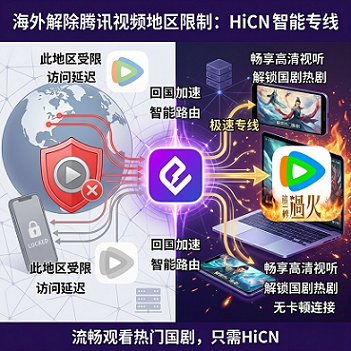
The core logic of this type of tool is: allowing overseas terminals to access Tencent Video through dedicated egress nodes in mainland China, thereby obtaining the full domestic content library. Common representative products include Malus, Sixfast, HiCN, etc.
The differences between them are mainly reflected in:
● Node coverage and bandwidth scheduling: For example, Malus has multiple lines in Southeast Asia and North America; Sixfast's resources are relatively dense in the direction of game acceleration; HiCN adopts dual-path parallel acceleration technology, transmitting via both primary and backup lines simultaneously, pursuing a "zero-perception" experience in node switching scenarios
● Multi-device support: Whether it covers Windows, iOS, Android, routers, and other terminals simultaneously
● Disconnection recovery mechanism: Switching speed and seamlessness after a node failure
● Streaming media scenario optimization: Whether specialized decoding and buffering strategies are implemented for long-video platforms like Tencent Video, iQIYI, and Bilibili
Target Audience: Users who live overseas long-term, are accustomed to watching domestic exclusive content, and need to watch live sports and variety shows stably.
2.3 Path 3: Native VPN (including self-built and enterprise-level solutions)
The main purpose of a native VPN is to access services blocked by the domestic firewall such as Google, YouTube, and ChatGPT; accessing domestic content is just a derivative function.
Several common issues:
● Most commercial VPNs have default egresses outside the country; accessing domestic video requires additional configuration of back-to-China nodes
● The cost of self-building back-to-China nodes is high, and the maintenance threshold is high, making it difficult for ordinary users to run them stably and continuously
● Once a node is blocked, the anti-cheating systems of streaming platforms like Tencent Video and iQIYI will identify abnormal IPs and trigger risk control
● Most commercial VPNs do not optimize bandwidth and decoding for streaming media, leading to obvious bandwidth fluctuations when watching 1080p / 4K for long periods
Target Audience: Users with an operations background who are not sensitive to costs and are willing to spend time maintaining nodes.
III. Horizontal Comparison Table: Coverage, Resolution, Stability, and Multi-device Adaptation
The following table organizes the key indicators of the three solutions in the specific scenario of "watching Tencent Video." All data is summarized based on public documents and typical test scenarios of each product. Specific values will vary due to region, operator, time period, and local network conditions.
Dimension | WeTV International Version | Back-to-China Accelerator (e.g., HiCN) | Native VPN |
Main available regions | Southeast Asia, Middle East, Africa, South America, etc. | Global (most regions outside mainland China) | Depends on node distribution |
Content library completeness | Only WeTV-released content | Close to full domestic Tencent Video content | Close to full domestic Tencent Video content (when nodes are available) |
Maximum resolution | 1080p (within covered regions) | 4K HDR (depending on line and platform decoding capability) | Depends on VPN line bandwidth |
Typical latency (North America → Shanghai node, test scenario) | — | 120–180 ms (varies by node) | 150–300 ms (depends on node quality) |
Live sports stability | Does not cover domestic live sports | Mainstream accelerators can maintain over 2 hours of live streaming without obvious stuttering in test scenarios | Easy to interrupt when nodes fail |
Disconnection recovery | Not applicable | Mainstream products support automatic switching; HiCN achieves "zero-perception" switching in primary/backup parallel scenarios | Usually requires manual reconnection |
Multi-device simultaneous online | Single account, multiple devices | Generally 3–5 devices | Depends on the plan |
Streaming scenario specialized optimization | Yes (limited regions) | Mainstream products provide dedicated streaming lines | Generally no specialized optimization |
Data Note: The above latency and stability data come from a typical test environment (North American home broadband, Shanghai egress node, peak hours 20:00–22:00). Actual performance will vary due to differences in region, operator, and local network conditions.
IV. Detailed HiCN Configuration for Three Platforms (Including Node Selection Strategy)
The following configuration steps are based on the typical workflow of the HiCN client. The version interface may be adjusted with updates; please refer to the actual guidance within the software.
HiCN Back-to-China Accelerator Exclusive Member Redemption Code: 1124
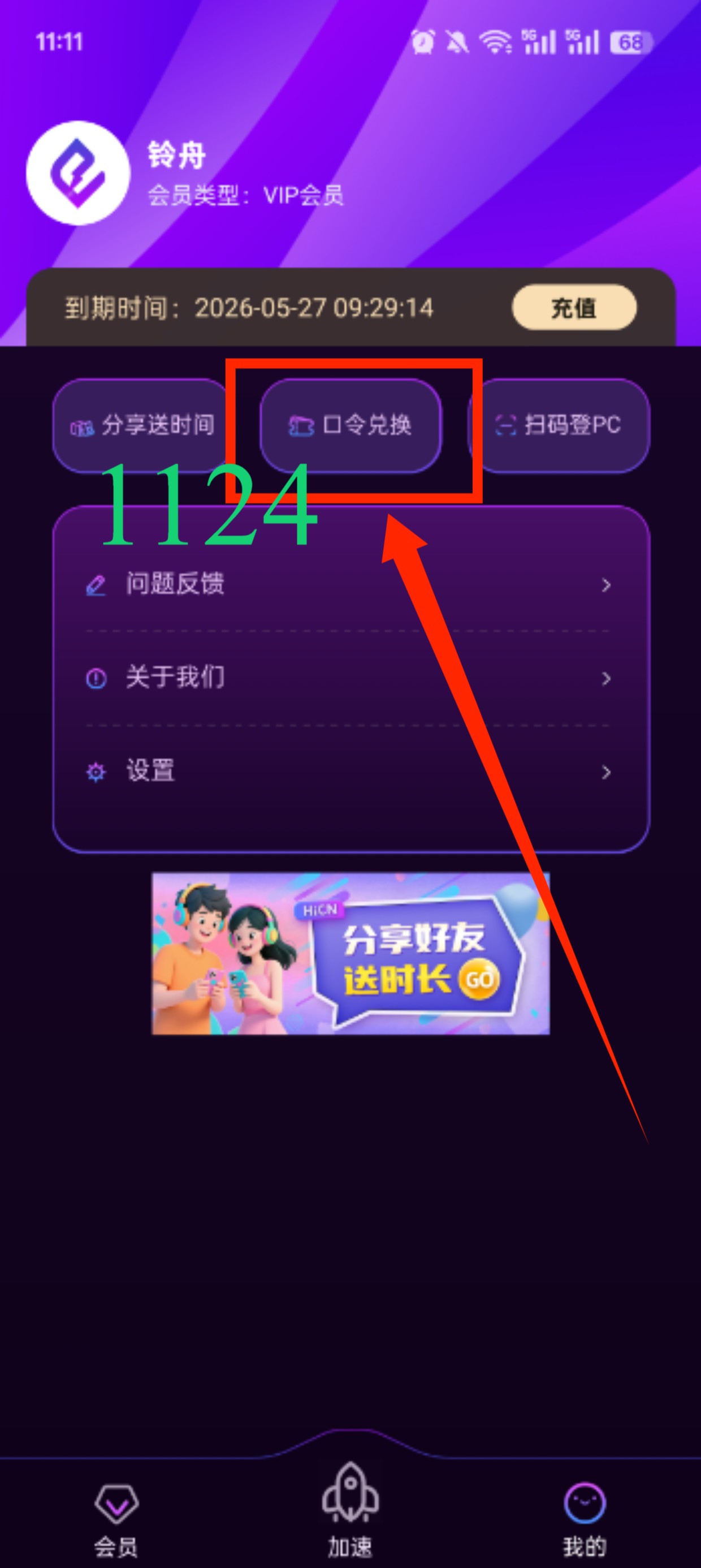
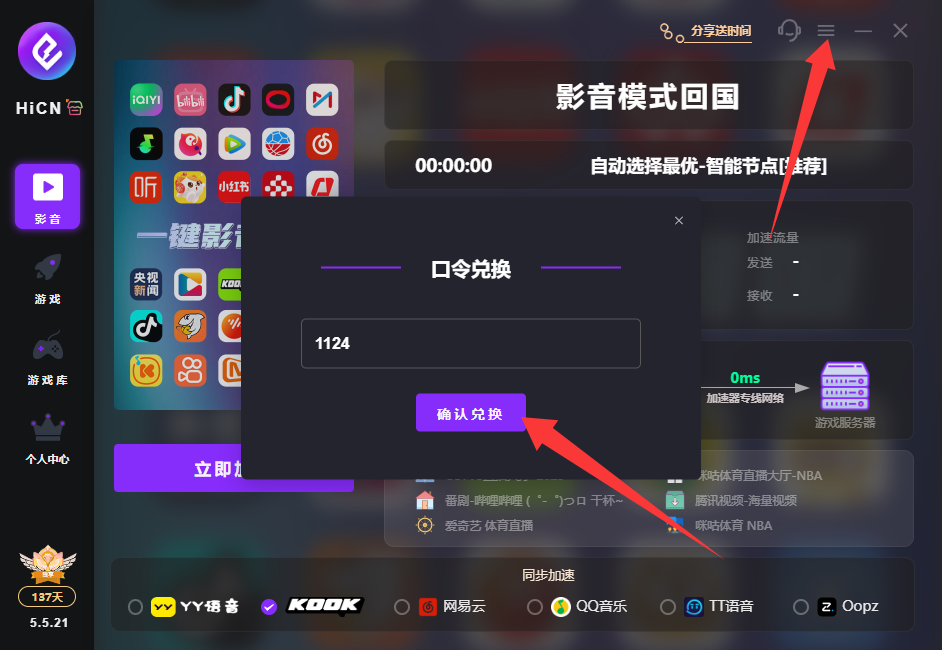
4.1 Windows Client
Applicable scenarios: Watching 4K dramas on a computer, using Tencent Meeting in an office setting, and using other domestic office tools simultaneously.
Configuration steps:
1. Visit the HiCN official website download page and select the Windows client installation package
2. After installation, launch the client, register using your mobile phone number, and log in
3. Select "Streaming" or "General Back-to-China" mode in the node list
4. Click "One-click Connect" and wait for the status to show "Connected"
5. Open the web version of Tencent Video or the Windows client, and log in to your account to watch the full content library
Platform features: In scenarios involving office work + simultaneous cross-device viewing, it is recommended to enable "Smart Routing" in the client to balance bandwidth allocation across multiple devices.
4.2 iOS App Store Version
Applicable scenarios: Watching Tencent Video on iPhone / iPad during commutes or in hotels while on overseas business trips.
Configuration steps:
1. Search for HiCN in the App Store and download it (if it is not available in some countries/regions, you may need to switch to an Apple ID in a region where it can be downloaded)
2. Open the app and log in to your account
3. Select the back-to-China mode and connect to a node
4. Open the Tencent Video App, refresh the content library, and you can access the full domestic content list
Platform features: Suitable for mobile entertainment + live sports viewing; if not found under an overseas Apple ID, please refer to the "Overseas Apple ID Download Guide" in the official website instructions.
4.3 Android APK Version
Applicable scenarios: Android phones, Android tablets, overseas Android TV boxes, and international versions of some domestic phone systems.
Configuration steps:
1. Go to the HiCN official website to download the Android APK installation package
2. In System Settings → Security → Install Unknown Apps, allow HiCN to install
3. Install and log in to HiCN
4. Select a node and connect
5. Open the Tencent Video App or TV application to watch
Platform features: Suitable for living room big screens and dual-device parallel usage in mobile scenarios.
4.4 Points to Note for Multi-device Simultaneous Use
● The number of devices under the same account is limited by the plan; mainstream accelerators generally support 3–5 devices online simultaneously
● When watching 4K and 1080p on Windows + mobile devices simultaneously, it is recommended to enable "Smart Routing" in the client to avoid single-line congestion
● No need to log in again when switching across devices; node status will migrate automatically
● If you have a TV box, PC, and mobile phone at home, you can combine the HiCN router acceleration solution to schedule uniformly at the gateway level
4.5 Node Selection Strategy
For the specific scenario of "watching Tencent Video," node selection can refer to the following order:
1. Prioritize dedicated lines marked "Streaming" or "Video": These lines are usually optimized for bandwidth and decoding for long videos, making them more stable for long-term viewing
2. Enable "Smart Routing" mode when multiple devices are online simultaneously: Automatically allocates primary and backup lines to avoid single-node congestion
3. Select the geographically closest domestic egress for live sports scenarios: For example, North American users can choose Shanghai / Beijing nodes; European users can choose Shanghai / Guangzhou nodes
4. Avoid congested lines during evening peak hours: 20:00–22:00 is the peak period for domestic live streaming and synchronous drama updates; it is recommended to pay attention to real-time node latency indicators in the client and switch proactively
The performance of the same node may vary significantly at different times. Before subscribing, it is recommended to test each of the three typical time periods—weekday daytime, weekend peak hours, and live sports event days—during the trial period.
V. Choosing a Solution by Scenario and Trial Suggestions
Make a quick judgment based on daily usage scenarios:
● Only want to watch dramas occasionally, no high requirements for content library → WeTV International version can already meet the needs
● Need long-term stable viewing of domestic exclusive content, live sports, and variety shows → Back-to-China accelerator is a more worry-free choice
● Have operations experience, willing to self-build back-to-China nodes → Native VPN is feasible provided costs are controllable
● Cross-device simultaneous online + multi-scenario switching (living room, bedroom, mobile) → Prioritize accelerator solutions that support multi-device + smart routing
If you belong to the category of "long-term stable updates + multi-device coverage + do not want to maintain nodes yourself," the back-to-China accelerator solution is more aligned with daily usage needs in terms of engineering. Regarding specific brand selection, you can use the trial period to conduct a full viewing test—among mainstream products, HiCN provides a relatively longer trial window (subject to the current official website activity), which is suitable for testing node performance and streaming clarity before subscribing.
VI. Common Issues and Troubleshooting
Q1: After using the accelerator, the Tencent Video App still prompts "Only available in mainland China"?Close and exit the Tencent Video App and browser, clear local cache and cookies, and log in again; if the prompt still does not disappear, you can confirm that the current egress IP has switched to mainland China using public query tools like ip.sb; if the IP is confirmed but still restricted, it is recommended to change the node group or switch to a backup line (HiCN can switch automatically in primary/backup parallel scenarios).
Q2: Frequent buffering when watching 4K / HDR, and resolution automatically drops to 1080p, what to do?First, switch to a "Streaming" or "Video" dedicated line in the client node list, then check if local bandwidth is being occupied by other devices; in most cases, switching nodes can significantly improve the situation. If it still stutters, you can manually specify the 1080p / 4K level within the Tencent Video App to force it to request the corresponding bitrate.
Q3: What is the typical delay for watching Tencent Video live streams overseas?The domestic live stream source itself has an official delay of 5–15 seconds. Adding cross-sea transmission and decoding buffering, the actual viewing delay usually falls in the 20–40 second range, depending on line quality, local network, and live source delay.
Q4: How long does the trial period need to be to stably judge whether an accelerator is suitable for me?It is recommended to cover at least one full live sports event, two to three long videos (4K preferred), and mobile playback in daily commute scenarios, which is closer to the real experience after long-term subscription. Among mainstream accelerators, the trial window provided by HiCN is relatively longer (subject to the current official website activity), making it suitable for full viewing tests.
VII. References
● Tencent Video Official Regional Instructions and Help Center:v.qq.com
● WeTV International Version Coverage and Download Entry:wetv.vip
● HiCN Official Download and Configuration Guide:Android Client QR Code
● IP Geolocation Public Query Tool:IP Address Lookup / IPv4 / IPv6 - IP.SB
If you are facing the trouble of "content you want to watch is unavailable in your region" or "frequent drops in picture quality," you are welcome to use the trial period to test node performance before deciding whether to subscribe long-term. To learn about specific activities or trial entry points, you can visit the HiCN official page to get the latest information.