
The more I work on watching domestic sports live streams from overseas, the more I feel it's not about "picking a tool," but rathera small-scale military campaign.: When you're overseas, the signal has to travel across half the globe in a few hundred milliseconds; your opponent isn't a specific platform, but a series of "terrains"—public network detours, peak-hour congestion, multi-device competition, and bandwidth spikes during critical plays.
The "network battle map" below is a version I've broken down and reorganized after dissecting this process.The core idea isn't "which accelerator is the best," but "using 4 steps of reconnaissance to map out the terrain before deciding what equipment to bring to the field".
This framework applies to general issues like "overseas sports streaming accelerators" as well as specific leagues such as CBA, CSL, LPL, TT Super League, and Volleyball Super League. I will use CBA / CSL / LPL as the main examples below; if you follow other events, just apply the same framework.
The scenario for this article assumes: overseas Chinese students/professionals, mainly following CBA, CSL, LPL, TT Super League, Volleyball Super League, and some international events. Devices typically include PC + mobile + occasional living room TV. Each step below is unfolded in a three-part structure: "Why do it → How to do it → Failure signals."
Scope of application: This is ageneral selection + practical testing framework, suitable for the broad category of "accelerators for overseas sports streaming." If you mainly follow esports, TV dramas, variety shows, or domestic server games, you can refer to other thematic articles on the site; this article will not cover those.
I. Step 1: Mapping the Terrain — What Does Your "Battlefield" Look Like?
Look at the map before going to war; look at your network terrain before choosing an accelerator. You must answer these 3 questions first.
Question 1: How far does your return-to-China link span?
The following are typical round-trip latency ranges from common regions to domestic servers. Specific values will fluctuate due to ISPs, exit routes, and time periods (the following are empirical reference ranges, not any official SLA):
● USA (West Coast) → Shanghai: Typical RTT range 200–280 ms
● Europe (London / Frankfurt) → Shanghai: Typical RTT range 180–250 ms
● Southeast Asia (Singapore) → Guangzhou / Shanghai: Typical RTT range 60–120 ms
● Australia (Sydney) → Shanghai: Typical RTT range 150–220 ms
Distance determines the latency floor.No matter how much North American users optimize, latency is often significantly higher than in Southeast Asia— this isn't the accelerator's fault; it's physical distance.
Question 2: What time do you usually watch the games?
● CBA / CSL / LPL / TT Super League: Starts after 7 PM China time
● European Top 5 Leagues (Chinese commentary): Depends on specific scheduling
● International tournaments (World Cup, Olympics, etc.): Some matches may fall in the early morning (subject to official schedules)
For North American users, the start times for CBA / CSL usually correspond to 7–10 PM Beijing time(early morning or morning in the US). This also means "peak-hour testing" might not apply to you;what applies to you is "game-time testing"— adjust your testing to the actual time the matches start.
Question 3: How many devices are you watching on?
● Single device (mobile only): A standard client is enough
● 2 devices (PC + mobile): Requires multi-device concurrency
● 3+ devices (PC + mobile + living room TV / tablet):A router-based solution is strongly recommended
Once the terrain is mapped, your "combat difficulty" is basically clear. North America + peak hours + multiple devices is the most difficult combination; Southeast Asia + daytime + single device is the easiest.The higher the difficulty, the more professional the "equipment" required.
II. Step 2: Identifying Traps — 3 Terrain Features That Make "5 Minutes of Watching, 2 Minutes of Buffering"
No matter which accelerator you choose, if you don't bypass these 3 terrain features, your viewing experience will collapse. Identifying them is more important than choosing a brand.
Trap 1: Node contention during peak hours / game times
Bandwidth on public nodes is limited. During moments like the 4th quarter of a CBA game, LPL playoff finals, or a TT Super League Game 7 where "tens of millions are online simultaneously," bandwidth contention is at its fiercest.Many accelerators only show "smoothness" during the day; the critical moments are the real test.
Trap 2: Connection limits for multi-device concurrency
There is a cap on concurrent connections allowed by the accelerator server. You might think "multi-device parallel use on one account" is free, but in reality, every additional device consumes more of your connection budget.No matter how high the benchmark score is on a single device, contention starts as soon as you connect the second device.
Trap 3: The "coverage blind spot" of large living room screens
In many households, phones/computers have accelerators installed, but living room TVs and tablets do not. The TV side either fails to load or routes back to the original network.This is the essential difference between "client coverage" and "router coverage"— the former only accelerates devices with the client installed, while the latter accelerates all devices connected to the router.
The characteristics of these 3 traps are:They cannot be seen during daytime, single-device, or client-only tests. The problems are truly exposed when peak hours/game times, multiple devices, and large living room screens are combined.
III. Step 3: Choosing Equipment — The Minimum Configuration of 4 "Combat Supplies"
Translating "traps" into "equipment requirements" actually results in 4 pieces of "combat supplies." You must pass all of them to enter the field.
Supply | Its "Combat Purpose" | Acceptance Criteria |
Multi-platform client | Covers all your commonly used devices | Supports at least Windows / iOS / Android |
Router firmware support | Covers multiple devices like living room TVs and tablets | Supports flashing schemes like OpenWrt / iKuai |
Multi-device concurrency | No lag when 2+ devices are online simultaneously | Field test with 2 devices in parallel |
Trial window | Allows you to practice before the actual event | 3–7 day free trial for new users |
These supplies are not isolated: Multi-platform clients only cover devices where you've installed the client; router solutions can cover the whole home.These two must work together; you cannot just look at one.
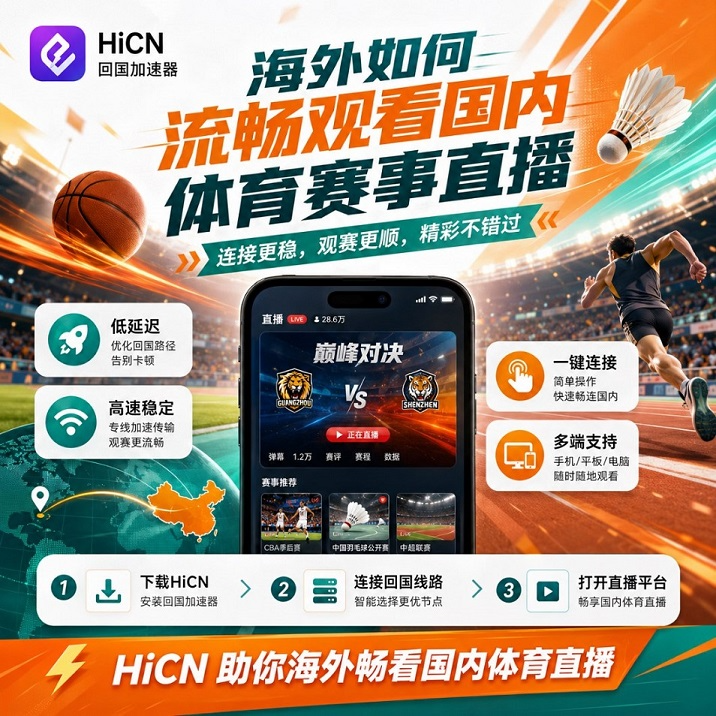
When looking at return-to-China accelerators on the market with this configuration,a solution that meets all 4 requirements is usually the more stable choice. After testing according to this list myself, the one I kept is Android client QR code— it supports Windows, iOS, Android, and routers simultaneously, and offers a 3–7 day free trial window for new users (subject to current official website terms). For more details, you can refer toHow to smoothly watch domestic sports live streams from overseas? Use HiCN return-to-China accelerator for instant access.
IV. Step 4: Conducting Drills — 3 Days of Field Testing = Pre-battle Exercise
Having the equipment doesn't mean you're stable on the field.Before the official start, you need a "pre-battle exercise". Below is a 3-day drill plan corresponding to the 3 traps mentioned earlier.
Day 1: Identify "Game-time Contention"
● Install the client (Windows / iOS / Android, any), run a speed test
● At the actual time the match starts(not during the day), open CCTV Video / Migu
● Watch a full match, record "initial load time + number of stutters during key plays"
Day 2: Identify "Multi-device Concurrency Contention"
● Use the same account to run 2 devices (PC + mobile)
● Load two live streams simultaneously, or one live stream + one domestic server game
● Observe if significant stuttering occurs during key plays (free throws, penalty kicks, team fights)
Day 3: Identify "Living Room Large Screen Coverage Blind Spot"
● Install the accelerator on a router that supports OpenWrt
● Use multiple devices like living room TVs and tablets to open the TV version of CCTV Video
● Check if all can load stably
After the 3-day drill, whether you've avoided the 3 traps is proven by the data.This is more reliable than reading 100 "rankings"— provided your test scenario covers at least 2 of the 3 traps.
V. 5 Types of Users Will Match Different "Equipment Combinations"
Not everyone needs the "full configuration." Matching by scenario is the only way to avoid "over-equipping."
A. North American students, mainly watching CBA / CSL / TT Super League
● Difficulty: ⭐⭐⭐⭐ (Long North American link + relatively friendly match times + usually multiple devices)
● Equipment: Full platform client + router solution + 3–7 day trial
● Note:Highest priority "full configuration" user
B. European Chinese, mainly watching Top 5 League Chinese commentary / World Cup
● Difficulty: ⭐⭐⭐ (Decent European link + match times mostly in early morning + multiple devices)
● Equipment: Full platform client + router solution
● Note: Stability of European nodes is key
C. Southeast Asian Chinese, mainly watching TT Super League / Volleyball Super League / National Games
● Difficulty: ⭐⭐ (Shortest Southeast Asian link + single device might be smooth)
● Equipment: Client is enough, router is optional
● Note: Can start with a free version / trial version
D. Hardcore fan + domestic server gamer
● Difficulty: ⭐⭐⭐⭐⭐ (Live stream + gaming dual-line + multiple devices + peak hours)
● Equipment: Full platform client + router solution + dual-line concurrency
● Note:The combination that tests equipment the most
E. Casual fan, watching 1–2 matches per week
● Difficulty: ⭐ (Low frequency + high tolerance)
● Equipment: Single-device client is enough
● Note: Free version / short-term trial is enough
VI. The Final Checklist 72 Hours Before Kickoff
Once the drill is done and equipment is in place, solidify the process 72 hours before the official start.
T-72 hours: Confirm equipment + backup plan
● Primary accelerator activated, client installed
● Backup accelerator (optional) downloaded
● CCTV Video / Migu / Tencent Sports, all 3 apps installed
● Mobile data 5G / 4G hotspot ready (fallback if primary link fails)
T-24 hours: Final rehearsal
● Run for 10–30 minutes at the actual match time
● Confirm primary node + backup node are both connected
● Confirm router acceleration status (if using router solution)
T-0: Kickoff
● Close all background apps, turn on Do Not Disturb
● Switch node to smart optimization (if this mode exists)
● The rest is just enjoying the game
VII. Final Thoughts: The Essence of the Battle Map is "Distinguishing Which Pitfalls Can Be Bypassed"
For accelerators for overseas sports streaming, tools aren't better just because they are expensive, nor are they better because they are "#1 on the leaderboard."What really works is identifying the 3 types of traps—"peak-hour contention / multi-device concurrency / living room large screen coverage"—and then equipping the corresponding gear one by one.
General VPNs are not enough for sports streaming because they aren't designed for the "cross-sea stability + multi-device + long-duration" combination scenario. Among return-to-China accelerators, few truly possess "full platform client + router solution + multi-device concurrency + trial window." Screening based on the 4-item supply list in this article is more reliable than looking at "rankings."
Follow the 4 steps of reconnaissance + 3 days of field testing + 72-hour kickoff checklist, and you'll be able to watch every critical match of the new CBA / CSL / LPL / TT Super League season steadily—no more missing goals at the moment of a free throw like before.
Related Reading
● Must-read for overseas users: How to smoothly watch domestic sports live streams? 4 types of solutions + practical steps in one article: Solutions broken down from the platform side
● 2025 Return-to-China Accelerator Horizontal Review: Independent accelerator comparison from a gaming perspective
● Low-latency accelerator recommendations for playing domestic server games from overseas: Solution selection ideas for gaming scenarios
For a 3–7 day free trial for new users, you can Android client QR code enter the code when registering 1124 to claim membership acceleration time (specific duration subject to current official website activity terms).