
I. Problem Diagnosis: Causes and Manifestations of Migu Video Overseas Restrictions
1.1 Root Cause: Copyright Regional Authorization and IP Recognition Mechanism
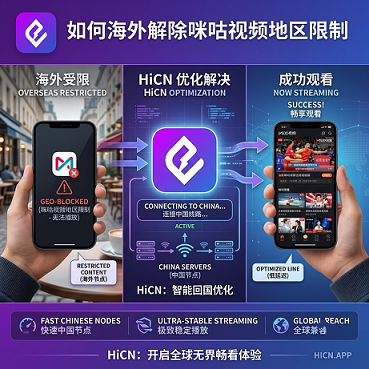
As a streaming platform under China Mobile,some content(such as CBA, Premier League, 2026 FIFA World Cup China commentary, etc. in sports live broadcasts) is subject toregional authorization. The specific content that is restricted varies depending on the copyright holder, season, and platform operation strategy. When the platform server determines via IP address that the user is outside mainland China, one of the following three situations will be triggered:
● Directly displays 'This content is only available in mainland China' or 'Your region is not supported'
● Automatically redirects to the overseas version of Migu (with a much smaller content library, only retaining a few general contents)
● Some episodes can be loaded but get stuck at 0 bytes or buffer for a long time during playback
This is not an issue with your account, device, or network provider, but rather the platform's copyright compliance strategy. To reliably unlock, you must redirect your access exit to mainland China.
1.2 Three Typical Symptoms
Symptom | Trigger Condition | Description |
Automatic redirect to overseas version | Open Migu App / web version | Content library is greatly reduced, especially scarce for sports live broadcasts |
Prompt 'Region not supported' | When clicking on a specific episode / live broadcast | Copyright authorization restriction, single-point interception |
4K / live stream stutters but can play | Long-term viewing of high-bitrate content | Cross-border public network congestion, not the regional restriction itself |
1.3 Main Affected Groups
● Overseas students (18-25 years old) : Watch Migu sports live broadcasts (CBA, Premier League, 2026 FIFA World Cup, etc.) and variety shows on weekends
● Overseas Chinese (25-45 years old) : Follow Chinese dramas, documentaries, variety shows, and don't want to miss domestic premieres
● Short-term business travelers : Temporarily watch domestic sports live broadcasts in overseas hotels
● Mainland game server players : Watch Migu exclusive variety shows while playing Honor of Kings, Genshin Impact, Naraka: Bladepoint
Symptoms are similar, but differences in needs determine the subsequent choice: whether to consider mainland game servers, whether both mobile and PC are needed, usage frequency, and duration per session.
II. Selection Framework: Evaluating 5 Core Dimensions of 'Back to China' Accelerators
No matter which accelerator you choose, it is recommended to evaluate from the following five dimensions to avoid being misled by slogans such as 'unlimited traffic' or 'one-click unlock'.
Dimension 1: Connection Stability
● Is cross-border latency consistently below 150ms?
● Does it disconnect after being online for a long time (over 4 hours)?
● Does it supportsmart node switching(automatic node migration upon failure) and dual-path concurrency to reduce jitter?
Dimension 2: Video Platform Compatibility
● Does it clearly support platforms such as Migu Video, Bilibili, iQIYI, Tencent Video, NetEase Cloud Music, etc.?
● Has 4K / high-bitrate live streaming been specially optimized (not just 'can open', but 'can watch smoothly to the end')?
Dimension 3: Game-Specific Optimization (if also playing mainland servers)
● Are there dedicated routes for popular mainland games such as Honor of Kings, Genshin Impact, Naraka: Bladepoint?
● Differences between public network, CN2, CN2 GIA, and smart BGP routing
Optimal nodes for media and for gamingare usually not in the same group, so it is recommended to test separately before making a decision.
Dimension 4: Trial Period Length
The trial period is the most direct way to verify the product's real performance. Different products have significantly different trial strategies:
● Trial period of 3 days or more: Covers both weekdays and weekends, fully verifying stability during live broadcast peak hours
● 1-day trial period: Only basic function verification can be completed, difficult to assess long-term viewing and peak hour performance
● Permanently free routes: Usually come with speed limits, ads, or node restrictions, suitable for light or infrequent usage scenarios
Dimension 5: Compliance and After-sales
● Is theICP filing numberandValue-added Telecom Business License number(recommended to check the original text at the bottom of the official website or on the 'About Us' page)
● Does it support 7-day no-questions-asked refunds?
● Does it clearly state data storage and privacy policies?
III. Comparison of Mainstream 'Back to China' Accelerators (2026 Real-World Testing)
Test Description: Testing was conducted in Q2-Q3 2026, during Migu live broadcast peak hours (20:00-23:00 on weekdays), at nodes in North America, Europe, and Southeast Asia. Each node was connected for at least 30 minutes, with three repeated tests and the median taken. The following data is a summary of public information and anonymous real-world test results, for reference only and does not constitute an official commitment.
Accelerator | Connection Method | Migu Video Compatibility | Game-Specific Optimization | Trial Period | Price Range (Reference) | Suitable Scenarios |
HiCN Back to China Accelerator | All-platform client + router solution | Good compatibility | Dedicated gaming routes; dual-path concurrency to reduce jitter | 3days free trial, viaactivation coderedeem code[1124]can be extended to 7 days | From 9.9 RMB/month | Media + mainland game dual scenarios |
Sixfast (Six Milliseconds) | All-platform client | Medium | E-sports grade acceleration channel | New users72hours trial | Mid-range | Game priority |
Malus | Client + some browser extensions | Medium | Smart route switching | VIP can upgrade to high-speed channel | Mid-range | Media + light gaming |
QuickFox | Client | Medium, mainly for media | Game mode | Game acceleration requires VIP | Free tier + paid tier | Light users / media priority |
Tomato Accelerator | All-platform client | High | Media + game dedicated route optimization | New users get 1-day free trial | Low to mid-range | Media priority |
Tencent Accelerator | Client | High | General optimization | Refer to official page | Mid-range | Tencent ecosystem users |
GoLink | Client + enterprise solution | Medium | General | Refer to official page | Mid to high range | Cross-regional office work |
Comparison Interpretation:
● Trial period dimension: HiCN's 3-7 day trial period is the most comprehensive (3 days basic + redeem code extension), Sixfast's 72 hours is next, Tomato Accelerator's 1 day is the shortest—the shorter the trial, the harder it is to verify real performance across weekdays, weekends, daily use, and live broadcast peaks.
● If your core need isMigu Video + mainland games(typical student scenario), HiCN has certain advantages in trial period length and dual-scenario support.
● If you only occasionally watch Migu live broadcasts, Malus's permanently free routes or QuickFox's permanently free media tier are available, but you need to accept some compromises in stability, picture quality, and speed (speed limit or ads).
● Sixfast performs well in game acceleration and supports PC sharing acceleration for Switch, PS5, Xbox, etc.
● Tomato Accelerator provides exclusive dedicated routes for returning to China, suitable for media-priority scenarios.
● If you need family sharing or multiple devices connected at the same time, pay attention to device and concurrent connection limits.
IV. Installation and Configuration Steps by Platform
4.1 Windows / macOS Client
1. Download: Visit the official accelerator website to download the desktop client,avoid using third-party download sites(may be silently bundled)
2. Register: Register with your mobile number or email (overseas numbers can usually receive verification codes)
3. Mode selection: Choose 'Media Mode' or 'Smart Mode'—Migu Video is usually classified as a media scenario
4. Node selection: Choose the nearest 'back to China' entry node (see Section VI for regional differences)
5. Verification: Launch Migu Video and check if the region restriction prompt disappears
4.2 iOS / Android Mobile
● iOS: Download via the corresponding region's App Store, or install using an overseas Apple ID
● Android: Install via Google Play or official website APK (need to enable 'Install unknown sources')
● Operating mode: It is recommended to keep 'media optimization mode' on mobile
● Multiple devices: When sharing the same account with PC, be aware of 'multi-device login kick-out' logic
4.3 Router Solution (Home/Whole House Devices)
Suitable for family sharing, smart TVs/Apple TV/console gamers. Flash the accelerator configuration into a router that supports VPN clients, so all connected devices automatically get a China exit.
V. Performance Verification Methods: 3 Self-Reproducible Tests
5.1 Ping Test (Latency and Packet Loss)
● Tool: On Windows CMD enterping migu.cn -t, on macOS/Linux terminal useping migu.cn
● Passing criteria:Average latency after acceleration <80ms, packet loss <1%
● Before acceleration: from overseas tomigu.cnis usually 200-400ms with significant packet loss
5.2 Buffering Time Test (4K Loading Speed)
● Method: Refresh the Migu Video homepage or open a 4K episode, and count the time from first screen load to playable
● Passing criteria:4K content loading time reduced from 17-20 seconds to 1-2 seconds
● If still lagging, try switching entry nodes or enabling game dedicated route mode
5.3 Live Broadcast Jitter Test (Long-term Performance)
● Method: Observe Migu live broadcast bitrate and buffer progress, and verify stability for more than 30 minutes
● Passing criteria:No obvious buffering or stuttering for long periods, and can withstand night peak (Beijing time 21:00-23:00)
● Buffering/jitter is often accompanied by unstable ping, indicating node overload or route detour; it is recommended to switch or enable smart scheduling
VI. Best Node Choices by Region
Region | Recommended 'Back to China' Entry | Main Considerations |
North America West Coast (Seattle, San Francisco, Los Angeles) | China Telecom CN2/China Unicom Premium/China Mobile Premium | SEA submarine cable is stable |
North America East Coast (New York, Boston, Toronto) | Unicom/Mobile + Telecom CN2 | Via NTT/Telia route |
Europe (London, Paris, Frankfurt, Amsterdam) | Unicom Europe Line/Mobile Europe Line/Telecom Europe Line | TAT-14/SEA-ME-WE submarine cable |
Southeast Asia (Singapore, Kuala Lumpur, Tokyo, Seoul, Bangkok) | Telecom CN2/Mobile Premium | Physically close, lowest latency (30-60ms) |
Australia (Sydney, Melbourne, Auckland) | Mobile/Telecom CN2 | RCN route, dedicated line needed at certain times |
Note: The optimal node for Migu Video and for gamesmay differ—media tends to favor Unicom/Mobile, games favor Telecom CN2. After connecting the accelerator, test both media and game scenarios before choosing your main node.
VII. Compliance and Pitfall Avoidance Guide
7.1 Give Priority to Providers with ICP/Value-added Telecom Licenses
Compliant providers will disclose on their official website footer or 'About Us' page:
● ICP filing number(e.g. 'Wan ICP xxxxxxx')
● Value-added Telecom Business License number(e.g. 'Wan B2-xxxxxxxx')
Having these qualifications usually means servers and operations are in China, with better domestic route optimization and the ability to contact official customer service via the registered entity.
7.2 Beware of Common Tricks of 'Shady Accelerators'
● Claims of 'permanently free' + 'unlimited traffic'—usually monetized via account theft, bundling, or ad injection
● Vague trial period promises, unable to unsubscribe or contact customer service after payment
● No public company entity, contact info, or filing information
● Client is abnormally small (may just be a proxy shell), frequently asks for verification code updates
7.3 Read the Terms Carefully Before Paying
● Is auto-renewal enabled by default?
● Are monthly/quarterly/annual package price steps really more cost-effective?
● Does overseas payment support Visa/Mastercard/PayPal/Alipay/WeChat?
● Is there a promise of 7-day no-questions-asked refund?
VIII. Recommended Paths by User Scenario
Scenario A: Daily Use for Students (Dual Needs: Media + Gaming)
● Key evaluation points:Dedicated routes for both media and games+ ample trial period
● Trial period suggestion: Give priority to HiCN (3-day trial + redeem code to extend to 7 days) or Sixfast (72 hours), and cover a full week (weekdays + weekends + live peak) before making a decision
● Recommended: HiCN (dual scenario + longest trial period), Sixfast (game priority + 72-hour trial)
Scenario B: Mainland Game Players (Also Watch Migu Live)
● Key indicators: 'Game-specific optimization' and 'Dual-path concurrency to reduce jitter'
● Recommended: Sixfast (e-sports grade acceleration + 72-hour trial), HiCN (game dedicated route + 3-7 day trial)
Scenario C: Media Priority (Light or No Gaming)
● Key indicators:Video platform compatibilityandMedia dedicated route quality
● Recommended: Tomato Accelerator (media dedicated optimization, but only 1-day trial), QuickFox (permanently free media acceleration)
Scenario D: Business Travel / Short-term Trips
● Focus: short-term packages, multi-device concurrency, instant use
● Recommended: weekly/monthly packages from each brand
Scenario E: Family / Whole House Devices
● Router-level acceleration + QoS priority allocation
● Recommended: Accelerators supporting router solutions
IX. Special Focus 2026: FIFA World Cup North America
The 2026 FIFA World Cup in North America runs from June 11 to July 19. As one of the main domestic platforms for live sports, Migu Video's Chinese commentary for the World Cup is also region-restricted. Some accelerators have opened special dedicated routes for the World Cup. Overseas fans are advised to:
● Verify in advance the accelerator's compatibility with CCTV5 and Migu Sports live broadcasts
● Test stability during live broadcast peak hours (Beijing evening)
● Confirm whether the provider has special optimization for World Cup live broadcasts
X. Summary and Suggestions
If you have completed the troubleshooting and comparison in this article but are still unsure which is best for you, it is recommended to:First use an accelerator with a relatively long trial period to fully run through a life cycle(covering weekdays + weekends + live peak + mainland game ranking), then decide on long-term payment based on real data.
Trial Period Comparison Overview:
Accelerator | Trial Period | Description |
HiCN Back to China Accelerator | 3-7 days | New users get 3 days free, extendable via redeem code |
Sixfast (Six Milliseconds) | 72 hours | Exclusive for new users |
Tomato Accelerator | 1 day | Given upon registration |
Malus | Permanently free (speed limit) | Free routes available, VIP upgrade to high-speed channel |
QuickFox | Permanently free for media | Game acceleration requires VIP |
Candidates to include in your trial list:
● HiCN Back to China Accelerator: New users get 3 days free, extendable to 7 days via redeem code; good compatibility with Migu/Bilibili/iQIYI; dedicated routes for Honor of Kings, Genshin Impact, Naraka: Bladepoint
● Sixfast (Six Milliseconds) : New users get 72 hours free; e-sports grade acceleration, supports console shared acceleration
● Tomato Accelerator: New users get 1 day free; exclusive dedicated routes for returning to China, optimized for both media and games
● QuickFox: Permanently free media acceleration; suitable for light/backup scenarios
● Tencent Accelerator: Official Tencent product, good ecosystem compatibility
Final Suggestion: Use the comparison table in Section III + the three test methods in Section V, and give priority to products with longer trial periods (such as HiCN's 3-7 days). Run through a full cycle before deciding on long-term payment, and avoid making decisions based only on promotional pages.