
It is not uncommon for people living abroad to want to continue playing games on Chinese servers.
Many overseas Chinese and international students keep the Chinese server accounts they used to play on their phones and computers even after moving abroad. It has become a common form of entertainment to team up with friends back home in the evening, play a few competitive games on weekends, or listen to Chinese music and watch domestic variety shows in their spare time.
What truly affects the experience is often the network.
Some players have fast local broadband speeds, but still encounter high latency, stuttering character movement, slow skill responses, or unstable multiplayer teaming when entering Chinese server games. In such cases, rather than constantly lowering the game's graphics settings, it is more important to focus on the network route used by your overseas device to connect to the Chinese server.
For such needs, you can use the HiCN accelerator to optimize your game connection and network performance.
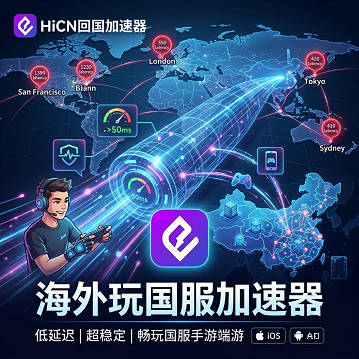
Why is playing on Chinese servers still not smooth despite fast overseas broadband?
Many overseas players first check their home broadband when they encounter latency issues on Chinese servers.
The speed test results may show no abnormalities, and watching videos, browsing websites, or downloading files may be smooth, but Chinese server games are still prone to network fluctuations.
The reason is that standard network speed tests and Chinese server game connections are not measuring the same thing.
Local speed tests usually connect to nearby nodes, whereas playing on Chinese servers requires data to be transmitted from overseas to domestic servers. The distance is greater, more nodes are traversed, and the network route is naturally more complex.
Common influencing factors include:
● The player's location is far from the Chinese server;
● Long cross-regional transmission routes;
● Increased network usage in the local area during the evening;
● Shared Wi-Fi in dormitories or apartments;
● Background downloads and cloud synchronization consuming bandwidth;
● The current network route is not optimized for real-time game transmission.
Therefore, "fast internet speed" does not necessarily mean "low game latency."
In what situations do you need game acceleration?
Different types of Chinese server games exhibit different symptoms when the network is unstable.
Game Type | Common Network Symptoms | Main Impact |
FPS Shooters | Slow shooting feedback, character rubber-banding | Aiming and combat |
MOBA | Slow skill response, lag during team fights | Movement and operation |
Open World | Waiting for map loading | Exploration and co-op |
MMORPG | Unstable instance synchronization | Multiplayer coordination |
Action Games | Delayed input feedback | Combo rhythm |
Mobile Games | Frequent fluctuations in latency numbers | Continuous matches |
If your frame rate is normal but your input feedback is always a beat behind, or if you frequently experience synchronization issues when teaming up with friends in China, it is worth optimizing your network route.
Playing on Chinese servers from abroad? Use the HiCN accelerator.
The HiCN accelerator is primarily designed for overseas Chinese, international students, and long-term residents abroad, providing network acceleration for Chinese server games, domestic music, and video streaming apps.
When playing Chinese server games, users can select the corresponding acceleration project based on the game name and connect via a route suitable for their current network environment.
The focus of this approach is to optimize the data transmission path between overseas devices and Chinese servers, reducing the impact of detours and congestion on standard routes.
For users who frequently play different Chinese server games, there is no need to look for new network tools every time they switch games; they can simply select the corresponding project within the client.
How should you choose a Chinese server accelerator?
Many players only look at latency numbers when choosing an accelerator, which is not comprehensive.
The following factors are truly worth paying attention to:
Route Stability
Low latency is important, but if the numbers fluctuate frequently, the actual gaming experience may still be affected.
Competitive games, in particular, require stability over the course of one or more matches.
Game Coverage
If you play mobile games, PC games, and multiplayer online games, choosing an accelerator that supports a wide variety of Chinese server games will be more convenient.
Node Selection
Different countries, cities, and local ISPs may require different optimal routes.
Supporting multi-route switching allows players to adjust based on their actual gaming experience.
Multi-device Support
Overseas users often use computers and mobile phones simultaneously.
For example, using a Windows PC for gaming at night and a mobile phone for daily mobile game tasks during the day. If an accelerator covers multiple platforms, the experience will be more unified.
HiCN supports Windows, iOS, Android, and routers.
HiCN can cover the common device environments used by overseas users.
Common Devices | Recommended Usage | Suitable Scenarios |
Windows PC | Windows Client | Chinese PC games, streaming |
iPhone, iPad | iOS Client | Chinese mobile games, music |
Android phones, tablets | Android Client | Mobile games and daily entertainment |
Phone + PC | Multi-device usage | Switching between devices |
Multiple home devices | Router Solution | Fixed residence usage |
TV + Phone + PC | Router Solution | Gaming and streaming |
Players using only one computer or phone can simply install the corresponding client.
If you have many devices at home, such as a PC for gaming, a phone for music, a tablet for shows, and a TV for variety programs, you may want to consider the router solution to reduce the hassle of setting up each device individually.
Why do you need to pay more attention to local networks in student dorms?
Student dorms and shared apartments are typical multi-user network environments.
When everyone returns home in the evening, some watch HD videos, some download study materials, and others perform cloud backups. These operations occurring simultaneously increase the load on the home network.
Therefore, before playing Chinese server games, you can make a few simple adjustments:
1. Pause large downloads on your computer;
2. Close cloud synchronization that is not currently needed;
3. Check if your phone is performing automatic updates;
4. Try to stay close to the wireless router;
5. Reduce high-bandwidth tasks on other devices simultaneously;
6. Enable the corresponding HiCN game acceleration route.
Optimizing both the local network and the cross-regional route is usually more effective than dealing with just one of them.
How do you determine if a HiCN route is suitable for you?
It is recommended not to just look at the latency on the client's home page.
Entering the actual game for testing provides more valuable reference.
For example, FPS players can test scoping, continuous shooting, and rapid movement; MOBA players can observe movement, skill casting, and team fights; open-world players can test map teleportation, multiplayer co-op, and continuous quests.
You can also compare from several dimensions:
Test Method | Focus Observation |
Game Lobby | Basic connection status |
Official Match | Input feedback |
Teaming up | Multiplayer synchronization |
Consecutive matches | Long-term stability |
Evening gaming | Peak hour route performance |
Switching nodes | Differences between routes |
If a certain route does not have the lowest number but is more stable during actual matches, it is usually more suitable for long-term use.
How to make the most of the 3–7 day new user trial?
HiCN offers a 3 to 7-day free trial for new users. Enter code 1124 to receive additional membership time.
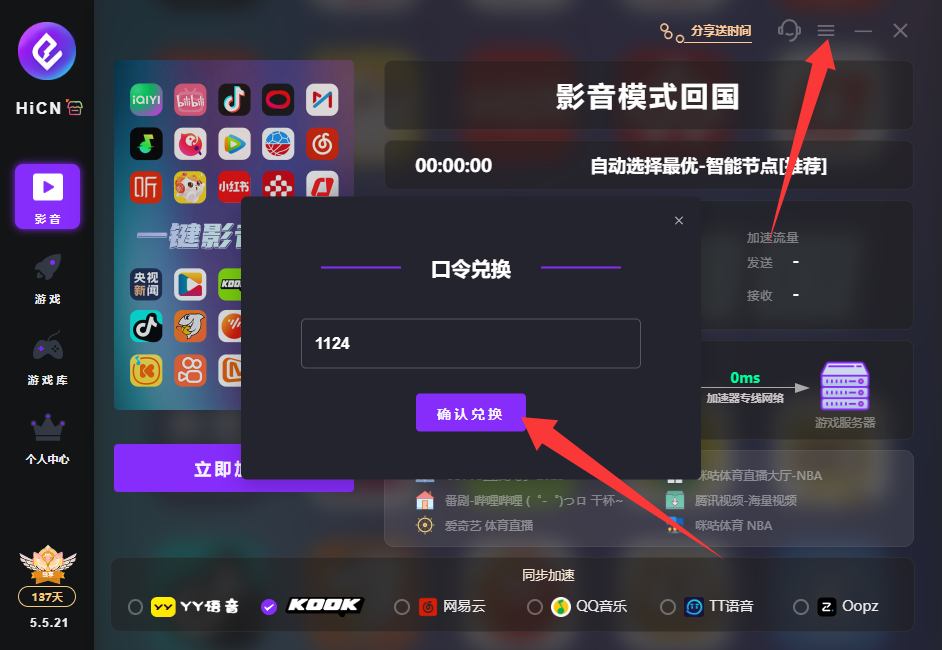
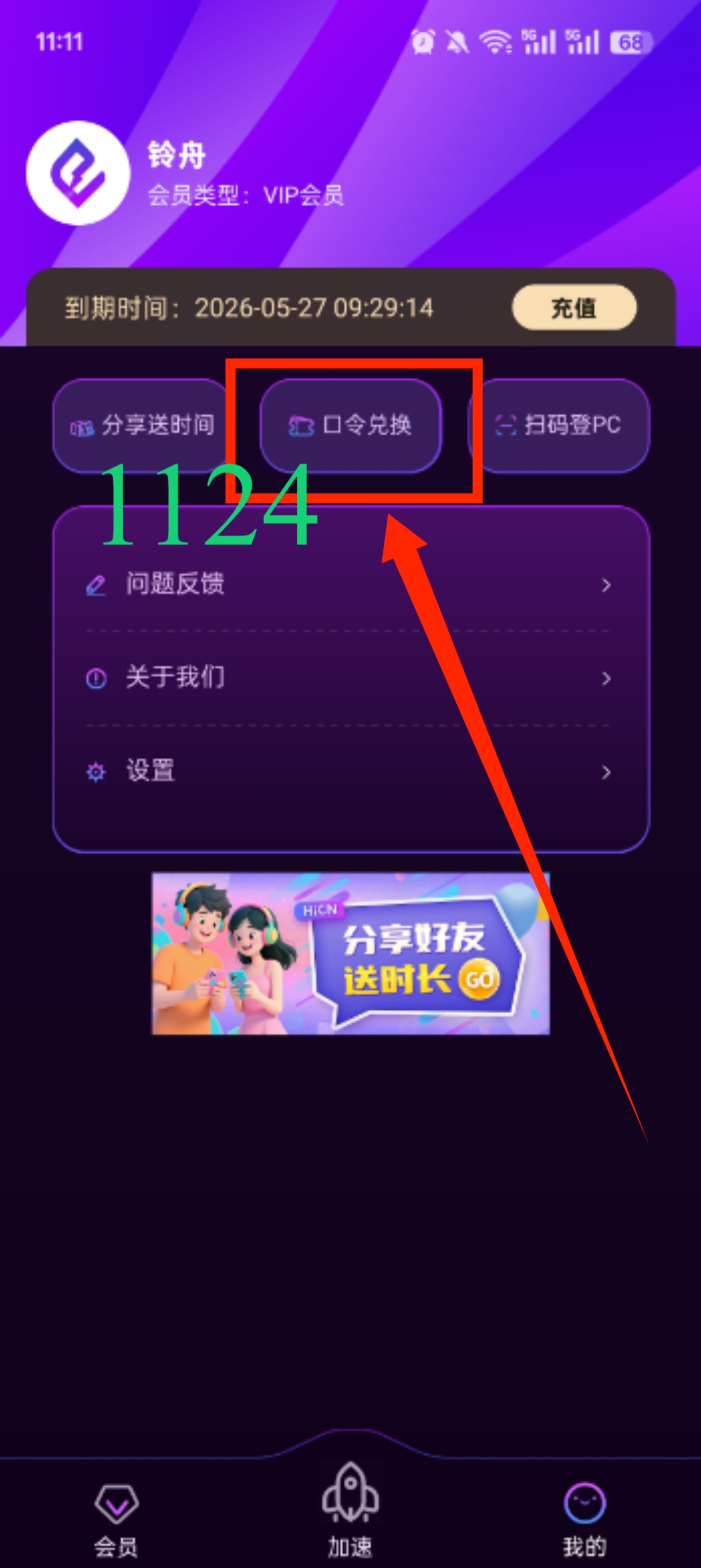
Network environments vary significantly across different overseas regions, so the free trial is perfect for comparing routes.
You can test during weekdays, weekends, daytime, and evening, and don't just test one game.
If you use both a computer and a phone, you can experience the Windows, iOS, or Android versions simultaneously to see which usage method suits your habits better.
For users with many devices at home, you can further consider the router solution.
You can also listen to music and watch shows when not gaming.
Daily entertainment for overseas Chinese and international students is not limited to gaming.
You might want to listen to domestic music while studying, watch variety shows while eating, or catch up on TV dramas on your computer or TV at night.
In addition to Chinese server game acceleration, HiCN can also be used for network optimization of domestic music and video applications.
This way, users can switch usage based on their needs at different times:
Use game acceleration while gaming, select music apps while listening to music, and use it for video scenarios while resting.
For users who own a phone, computer, tablet, and TV simultaneously, multi-platform and router support will be more practical.
How to choose an accelerator for playing on Chinese servers from abroad? It depends on your actual environment.
There is no single route that is suitable for all overseas players.
Distances and network environments between different regions in Europe, North America, Australia, and Asia and Chinese servers differ. Even within the same country, the actual performance of different local ISPs may vary.
Therefore, when choosing an accelerator to return to China, you can focus on:
● Whether it covers the Chinese server games you play often;
● Whether there are suitable acceleration routes in your current region;
● Whether the latency is relatively stable;
● Whether it is convenient to switch nodes;
● Whether it supports your computer and mobile phone;
● Whether it can be used for multiple home devices;
● Whether a new user trial is provided;
● Whether it covers music and video streaming in addition to gaming.
Combining these factors to make a choice is more valuable than simply comparing a single latency number.
Summary
High latency, lag, or unstable multiplayer synchronization when playing on Chinese servers from abroad is usually related not only to local broadband but also to cross-regional data transmission routes, Wi-Fi environments, and network congestion.
For overseas Chinese and international students who frequently play Chinese server games, the HiCN accelerator can be used to optimize game connection routes. HiCN supports Windows, iOS, Android, and routers, meeting the network acceleration needs of PC and mobile gamers, and is also suitable for listening to domestic music and watching TV dramas and variety shows.
New users get a 3 to 7-day free trial. It is recommended to conduct actual tests based on your region, local ISP, commonly used devices, and the Chinese server games you play, before choosing the route and usage plan that suits you best.
Use code 1124 to receive free HiCN membership acceleration time.