
For overseas Chinese and international students, watching a live domestic sports broadcast is often a greater test of network conditions than watching regular videos. When football, basketball, esports, and other popular events enter their critical stages, sudden issues like slow loading, constant buffering, drops in resolution, or audio-video desynchronization can easily ruin the viewing experience.
Especially during evenings, weekends, and the start of popular matches, network link loads increase, and videos that were previously playing normally may suddenly become unstable.
When encountering such situations, instead of repeatedly refreshing the player, it is better to start with the network connection. For overseas users who frequently watch domestic sports live streams and also need to play domestic server games, listen to Chinese music, and catch up on domestic video content, usinga return-to-China accelerator for network optimizationis usually much more convenient.
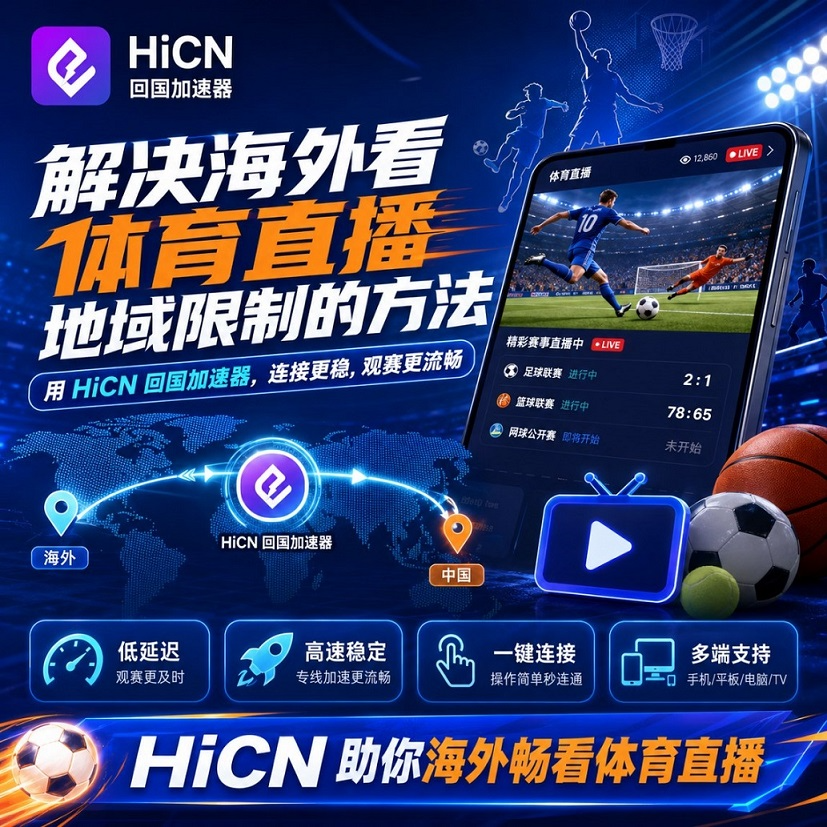
I. Why is it easy to experience lag when watching domestic sports live streams from overseas?
There is a clear difference between sports live streams and regular on-demand videos.
Regular TV shows or movies can buffer content in advance, whereas sports events emphasize real-time performance and require continuous reception of live data. Once the network experiences latency, fluctuations, or short-term packet loss, the viewing experience can be significantly affected.
The most common problems for overseas users are as follows:
Common Situation | Actual Performance | Possible Cause |
Slow live stream loading | Stays on the loading page for a long time after clicking | Long cross-border connection distance |
Buffering during the match | Picture suddenly stops and a loading prompt appears | Network link fluctuations |
Automatic resolution drop | HD picture suddenly becomes blurry | Unstable current available bandwidth |
Audio-video desynchronization | Time difference between commentary audio and match visuals | High data transmission latency |
Lag is more frequent at night | Normal during the day, but not smooth at night | Network peak congestion |
Phone is normal, computer is lagging | Significant performance differences between devices | Differences in Wi-Fi and device network configurations |
Therefore, when watching sports live streams from overseas, you cannot just focus on your broadband speed.
Even if your home network plan has high speed, if the connection to domestic network services passes through many intermediate nodes, takes a roundabout route, or experiences congestion during peak hours, lag may still occur.
II. When watching sports live streams from overseas, the focus is not just on increasing network speed
Many users' first reaction to live stream lag is to upgrade their home broadband.
In reality, if the download speeds for regular overseas websites, videos, and games are normal, and only connections to domestic applications are unstable, the problem often does not lie entirely with local bandwidth.
When overseas devices connect to domestic network services, they need to pass through a longer data transmission path. As the distance increases, network latency and line fluctuations may also increase.
Sports live streams, in particular, require continuous and stable data reception.
Therefore, rather than simply pursuing higher download speeds,reducing network fluctuations, optimizing connection paths, and improving data transmission stabilityare often more important.
III. You can try using a return-to-China accelerator to watch domestic sports live streams from overseas
If you frequently use domestic video, music, or gaming applications, you may consider using a service specifically optimized for overseas-to-domestic network environments,a return-to-China accelerator.
For example, HiCN return-to-China accelerator, which is primarily aimed at overseas Chinese, international students, and long-term overseas residents who use the Chinese internet, improves link performance when connecting to domestic applications from abroad through network acceleration.
It is not only suitable for sports live streaming scenarios but also for daily video, music, and domestic server game network optimization.
Which usage scenarios is HiCN suitable for?
Sports live events
When watching live streams of football, basketball, esports, and other domestic events, you can improve connection stability through network optimization and reduce repeated loading caused by line fluctuations.
Domestic video content
If you like to binge-watch TV series, variety shows, or watch domestic video content, you can use video-related acceleration lines to make long-term playback more stable.
Domestic music applications
When using domestic music apps overseas, if you encounter slow song loading or frequent buffering during playback, you can also improve the connection experience through network acceleration.
Domestic server games
For international student gamers, when playing domestic games like Honor of Kings, League of Legends, Delta Force, or Genshin Impact, network latency and fluctuations directly affect gameplay.
A return-to-China accelerator can optimize latency for game connections, reducing the impact of cross-border network fluctuations on the gaming experience.
IV. Which devices does HiCN support?
The usage scenarios for overseas users are usually not limited to a single device.
Some people watch sports live streams on computers, some watch matches on phones and tablets, and others need to optimize game consoles or home network environments.
HiCN currently supports:
● Windows
● iOS
● Android
● Routers
If you are using it alone, you can install the corresponding client on your frequently used devices.
If you have multiple devices at home, or if family members frequently use domestic network applications, you can consider the router method to make usage scenarios more flexible.
V. How to perform network optimization for watching sports live streams from overseas?
The actual operation is not complicated; you can follow the steps below.
Step 1: Check the local network first
Before watching the match, you can first confirm whether your Wi-Fi or wired network is stable.
If you are far from the router, try moving closer; computer users can also use a wired connection if conditions permit.
At the same time, try to avoid large game downloads, cloud synchronization, or other bandwidth-heavy operations during the match.
Step 2: Turn on the HiCN return-to-China accelerator in advance
It is recommended not to wait until the match has already started and lag occurs before making adjustments.
You can start HiCN in advance, select the appropriate network acceleration line based on your current viewing scenario, and then open the sports live streaming app you need to use.
Step 3: Observe the stability of the live stream
After entering the live stream, you can watch for a few minutes first.
If the picture remains stable, the resolution is normal, and there is no frequent buffering, there is no need to switch lines repeatedly.
Network acceleration is not about switching nodes as frequently as possible; once you find a line suitable for your current network environment, keeping the connection will usually result in a more stable experience.
Step 4: Try switching lines when lag occurs
Network conditions vary across different countries, carriers, and time periods.
If the current line experiences significant fluctuations during peak match times, you can try switching to other available lines and then re-enter the live stream page to observe the effect.
VI. Pay more attention to the network environment when watching matches in student dorms
Student dorms, apartments, and shared living environments are quite unique.
Evenings are often peak network usage times. Some people are watching videos, some are downloading games, and some are in video conferences; multiple devices occupying network resources simultaneously can easily cause Wi-Fi congestion.
In this case, even if network acceleration is enabled, if the local Wi-Fi itself is unstable, the live stream may still be affected.
You can prioritize trying the following:
1. Use 5GHz or a more stable Wi-Fi frequency band;
2. Try to stay close to the wireless router;
3. Computers should prioritize wired networks;
4. Pause background large downloads and cloud synchronization;
5. Test the live stream in advance before the match starts;
6. Choose the appropriate HiCN acceleration line based on current network conditions.
This can reduce the impact from both the local network and the cross-border link.
VII. Can sports live streams, music, shows, and domestic games be solved all at once?
This is one of the reasons why many overseas users choose a return-to-China accelerator.
The daily network needs of international students are usually not singular.
You might play domestic games with friends in the afternoon, listen to music on domestic apps in the evening, and watch a sports event or catch up on domestic variety shows on the weekend.
If you look for different network optimization methods for every scenario, it will be quite troublesome to use.
HiCN return-to-China accelerator coversgame acceleration, video acceleration, music, and daily domestic network application connection optimizationand other scenarios, making it more convenient for overseas Chinese and international students who have multiple domestic network usage needs simultaneously.
VIII. What should you focus on when choosing a return-to-China accelerator?
When choosing a return-to-China accelerator, it is not recommended to look only at the single speed data in the advertisements.
What really affects the long-term experience are usually the following aspects:
Line stability: Both live streaming and gaming require continuous and stable data transmission.
Latency performance: Especially important when playing domestic server games; excessive latency will directly affect operational feedback.
Node selection: Lines suitable for different regions and different network carriers may vary.
Device support: If you use a computer, phone, and tablet at the same time, multi-platform support will be more convenient.
Ease of use: For ordinary users, the simpler the operation, the lower the daily usage cost.
HiCN supports Windows, iOS, Android, and routers, covering the daily devices of most overseas users.
Conclusion
When watching domestic sports live streams from overseas, experiencing slow loading, constant buffering, drops in resolution, or network instability during peak hours does not necessarily mean your home broadband speed is insufficient.
Cross-border connection distance, network routing, peak congestion, and the local Wi-Fi environment can all affect the final live streaming experience.
If you frequently play domestic server games, listen to Chinese music, or catch up on domestic video content in addition to watching sports matches, you can try to perform network optimization throughHiCN return-to-China accelerator, choose the right line according to different scenarios, and make your sports live streams, video entertainment, and domestic server game connections more stable.
HiCN supports Windows, iOS, Android, and routers, and new users are supported with3–7 days of free trial; if you need additional experience, you can enter thecode 1124during use to receive free membership acceleration time.