Playing Chinese server games from overseas: How much does high Ping actually affect you?
Many players who continue to play Chinese server games after moving abroad will notice a significant change:
The account is fine and the game logs in, but the gameplay experience is worse than before.
For example:
● Character movement feels slightly sluggish;
● Skill casting is not as responsive as before;
● Aiming feedback in shooting games is not fast enough;
● Synchronization issues occur easily in multiplayer modes;
● The experience changes noticeably during peak gaming hours.
These issues are usually related to Ping.
Ping represents the data response time between your device and the game server.
For daily web browsing, a change of a few dozen milliseconds might not be noticeable.
However, in online games, even a small change in latency can affect the rhythm of your gameplay.
It is especially noticeable in the following types of games:
Game Genre | Ping Sensitivity | Impact |
FPS | High | Aiming, movement, and shooting feedback |
MOBA | High | Skill casting and team fight operations |
Action Games | Relatively High | Combos and combat rhythm |
Open World | Medium | Loading and online experience |
MMORPG | Medium | Dungeons and multiplayer synchronization |
Casual Games | Relatively Low | Mainly affects connection stability |
Why is game Ping still high even with good overseas broadband?
Many overseas users encounter a similar situation:
Speed test software shows excellent network speed;
Watching HD videos is very smooth;
But after opening a Chinese server game, the latency remains high.
The reason is:
Network speed and game connection quality focus on different things.
When downloading files, transmission speed is the priority.
But when running games, the focus is on:
● Data response speed;
● Network stability;
● Real-time connection quality;
● Routing conditions between servers.
Common factors affecting Ping for overseas players:
Factor | Specific Impact |
Distance from server | Increased base response time |
Network routing changes | Latency may fluctuate |
Local Wi-Fi environment | Unstable game connection |
Peak hours | Increased network pressure |
Multiple devices in use | Bandwidth consumption |
Background programs running | Affects real-time data |
Therefore, lowering Ping is not just about increasing broadband speed, but optimizing the game connection process.
What are the main functions of software that lowers Chinese server Ping?
Many players choose game acceleration software not to increase download speeds.
The core goal is to improve the experience when overseas devices connect to Chinese servers.
This usually includes:
Optimizing connection paths
Helping players choose routes better suited for game data transmission.
Reducing network fluctuations
Lowering sudden changes during gameplay.
Improving multiplayer experience
Making teaming up with friends and online modes more stable.
Simplifying the setup process
Players do not need to frequently adjust complex network parameters.
For average players, simplicity and ease of use are also important factors in choosing software.
How should you choose game acceleration software?
Different players have different needs.
Some mainly play PC games;
Some are used to mobile games;
Some want to use it on multiple devices at home.
When choosing, you can refer to:
Comparison Item | What to look for |
Supported Games | Whether it covers the Chinese server games you play |
Stability | Whether it remains stable during long gaming sessions |
Device Compatibility | Whether it supports both PC and mobile |
Ease of Use | Whether it is easy to enable |
Node Selection | Whether you can adjust the routing |
Usage Scenarios | Whether it supports media needs |
For overseas users, a network environment that suits you is more important than just looking at rankings.
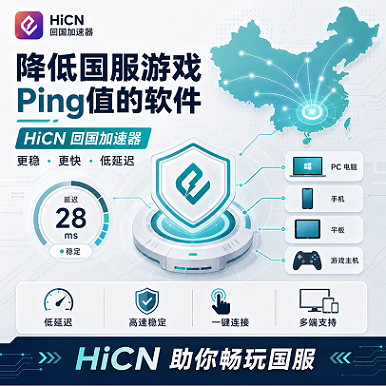
HiCN Return-to-China Accelerator: A common network optimization solution for overseas players
For overseas Chinese, international students, and long-term residents, choosing a suitable return-to-China accelerator can improve the network experience when connecting to Chinese server games.
HiCN Return-to-China Accelerator supports:
● Chinese server game acceleration;
● Network optimization for Chinese music apps;
● Optimization for media and video apps.
How to use:
1. Install the client;
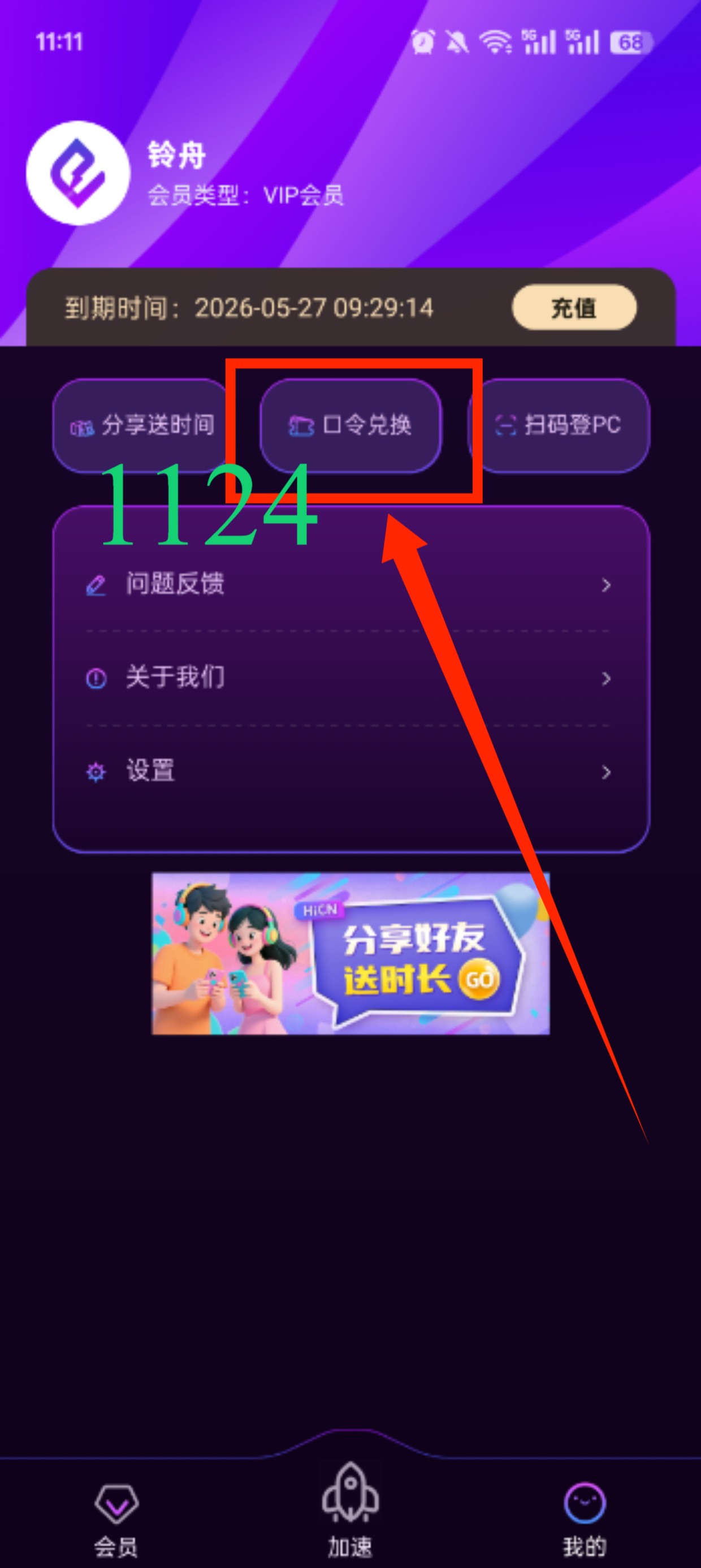
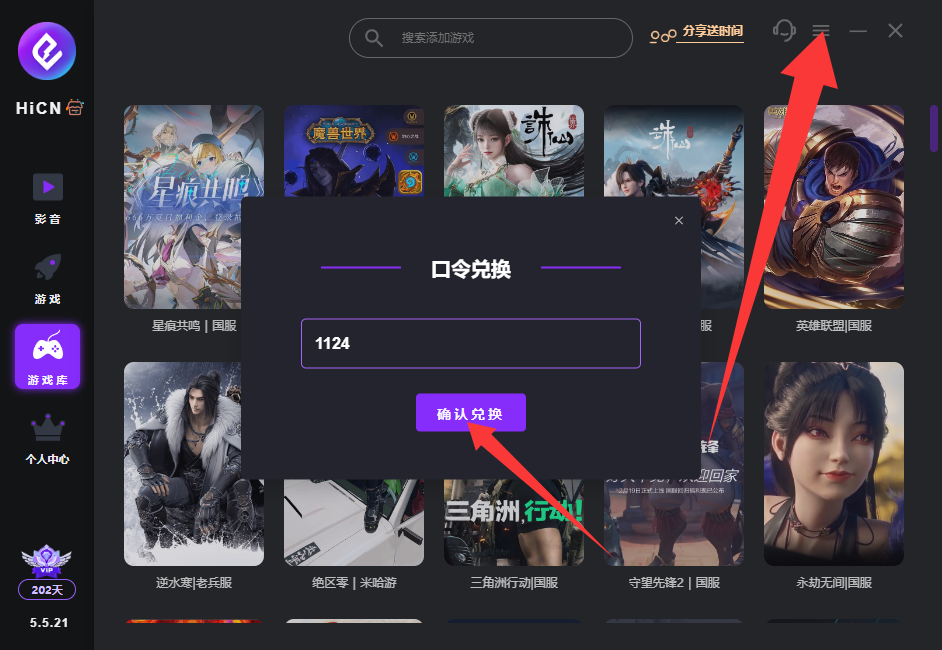
2. Log in to your account; enter code 1124 to claim membership
3. Select the game you want to accelerate;
4. Enable acceleration;
5. Enter the game and enjoy.
Compared to repeatedly adjusting network settings yourself, using professional routing optimization is much more convenient for average players.
HiCN supports Windows, iOS, Android, and routers
The device environment for overseas players is quite complex.
Some people:
● Use PCs to play large-scale Chinese server games;
● Use mobile phones to play mobile games;
● Use tablets for entertainment;
● Connect multiple devices in the home simultaneously.
HiCN supports multiple platforms:
Device | Suitable Users |
Windows | PC gamers |
iOS | iPhone and iPad users |
Android | Mobile gamers |
Router | Home and multi-device environments |
Different scenarios allow for different methods.
For example:
PC players can use the Windows version;
Mobile players can install the mobile app;
If there are many devices at home, you can consider the router solution.
Why do overseas students need game acceleration more?
The network habits of international students are different from those of ordinary users.
Multiple needs may exist simultaneously in a single day:
Morning:
Complete game tasks on mobile.
Afternoon:
Listen to Chinese music while studying.
Evening:
Log in to Chinese server games on PC.
Rest:
Watch Chinese shows.
If every scenario requires separate handling, it increases operational costs.
Therefore, multi-platform support and multi-scenario adaptation are better suited to overseas life.
How to determine if Ping optimization is effective?
When testing game acceleration effects, it is not recommended to only look at what the software page displays.
You should go into the actual game.
You can focus on testing:
1. Login experience
Observe:
● Game entry speed;
● Whether connection waiting occurs easily.
2. Actual combat
Observe:
● Movement feedback;
● Skill response;
● Gameplay fluidity.
3. Multiplayer mode
Observe:
● Friend synchronization;
● Team stability.
4. Long-term experience
Playing several consecutive matches is more accurate than a short-term test.
This is because some routes perform well for a short time but may change with continuous use.
New user 3-7 day trial, recommended testing method
HiCN offers a 3 to 7-day free trial for new users.
Overseas users can use the trial period to test:
Test Content | Purpose |
Commonly played Chinese server games | Judge basic experience |
Different time periods | Check stability |
Multiplayer mode | Test synchronization |
Mobile devices | Test mobile version |
Media apps | Test daily needs |
It is recommended to use your own:
● Commonly played games;
● Commonly used devices;
● Commonly used network.
The results obtained this way will be more consistent with long-term usage.
Besides games, what other scenarios can a return-to-China accelerator be used for?
For overseas Chinese and international students, network needs are not limited to games.
Daily needs may also include:
● Listening to Chinese music;
● Watching TV dramas;
● Using Chinese media apps;
● Accessing common Chinese services.
HiCN Return-to-China Accelerator can be used for these daily network optimization needs in addition to gaming.
One solution covering more usage scenarios is more convenient for long-term overseas residents.
Lowering Ping overseas: The focus is not on chasing the lowest number
Many players only focus on the following when choosing software:
"Can it show a lower Ping?"
But the actual gaming experience also includes:
● Whether it is stable;
● Whether it fluctuates easily;
● Whether it is suitable for your region;
● Whether it supports your device.
A solution truly suitable for long-term use needs to be judged based on actual experience.
Summary
When playing Chinese server games from overseas, high Ping is usually related to factors such as server distance, network routing, and local environment.
To reduce game latency, you can start by optimizing your local network environment, reducing background usage, and choosing a suitable return-to-China acceleration solution.
HiCN Return-to-China Accelerator supports Windows, iOS, Android, and routers, making it suitable for overseas Chinese and international students playing Chinese server games, while also supporting daily usage scenarios like listening to music and watching shows.
New users get a 3 to 7-day free trial, which you can use to experience the service based on your region, devices, and gaming habits.
Enter code 1124 to get free HiCN membership acceleration time.