
Preface: Why "switching to another accelerator" sometimes doesn't solve the problem
Many overseas players start testing as soon as they get an "accelerator comparison review," installing each one only to find the latency is still 200ms+. The problem is often not the "accelerator itself," but failing to identify which layer the latency is actually occurring in.
Latency on cross-border links is usually composed of three overlapping segments, each with different bottlenecks and completely different solutions:
● Physical Distance Layer: The inherent time cost of fiber optic propagation and submarine cable landing stations; the theoretical lower limit ≈ distance / 0.67 × 2.
● Routing and Congestion Layer: BGP routing hops on the public internet and peak-hour congestion between carriers.
● Protocol and Encryption Layer: Additional time costs from TCP/UDP selection, VPN encryption encapsulation, and packet loss retransmission logic.
Once these three layers are pinpointed, matching them with the corresponding acceleration solutions makes decision-making much clearer. This article follows the path of "Latency Diagnosis Tool → Cause Classification → Corresponding Solutions" .
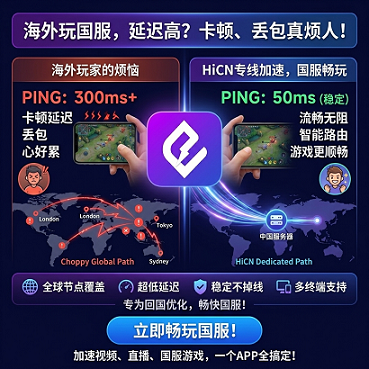
I. Perform a latency diagnosis first: Which layer is causing your lag?
Before optimizing, use the following tools to collect baseline data. It is recommended to perform all tests in the same location, on the same network, and at the same time for easy comparison.
1.1 Three common diagnostic commands
1.2 Using numerical values to determine "where the problem lies"
Note: The above numerical ranges are based on common observations of public internet routing and are not a guarantee for any single route.
II. First layer cause: Physical distance
2.1 Inherent lower limit
Signals travel through submarine cables at approximately 0.67c. The theoretical one-way propagation time from the North American West Coast to the mainland China backbone network is ≈ 80–110ms, plus another round-trip time. Latency caused by physical distance is incompressible — no accelerator can reduce it below the physical optical path limit.
2.2 Only the "last mile" can be optimized
The physical layer cannot be broken, but you can shorten the gap between theactual pathand thetheoretical fiber distance:
● Direct submarine cable vs. detouring through third-party neutral nodes: Detouring adds 30–80ms.
● The "last mile" between the submarine cable landing station and the mainland backbone network: Different ISPs use different peering points.
Physical Distance Layer Conclusion: Expectation management is more critical than technical optimization. For North American players, setting a goal of "keeping latency within the 130–180ms range" is more realistic than obsessing over "must be below 100ms."
III. Second layer cause: Routing and congestion
This is the layer where overseas players are most easily stuck, and it is also the layer where accelerators can truly make an impact.
3.1 Public internet BGP routing issues
When your data leaves a North American ISP destined for a game server in mainland China, BGP routing decisions choose paths based on commercial peering relationships:
● It often happens that the route "detours through Hong Kong/Japan/Singapore before entering the mainland";
● Queuing and waiting are common at Internet Exchange Points (IXP).
3.2 Peak congestion
20:00–23:00 Beijing time is the peak period for domestic games, during which trans-Pacific link load increases significantly:
● Packet loss rate rises from < 0.5% to 2%–5%;
● TCP congestion control is triggered, causing a sharp spike in latency;
● Real-time competitive games lose critical state packets first, which players experience as "teleporting."
3.3 Solution mapping
IV. Third layer cause: Protocol and encryption
4.1 Why ordinary VPNs are often "ineffective for acceleration"
Ordinary VPNs usually use OpenVPN / WireGuard global encapsulation:
● Adds 30–80ms of encryption handshake + tunnel encapsulation time;
● Triggers retransmission when defaulting to TCP, further amplifying latency;
● Does not optimize protocol for game UDP traffic, making it slower than a direct connection.
4.2 Protocol optimizations required by game accelerators
● Identify game UDP packets and bypass general encryption;
● Perform local protocol optimization on the client side to reduce the number of handshakes;
● Use Forward Error Correction (FEC) or selective retransmission for packet loss instead of relying on TCP retransmission.
4.3 Protocol layer conclusion
Protocol optimization is an amplifier: The routing layer solves the "path" problem, and the protocol layer solves "how to transmit on this path." Both are indispensable.
V. Solution classification: Free proxy vs. dedicated route accelerator
Applying the three causes above to selection, the table below compares the differences between various solutions across three indicators that most affect the competitive experience.
Test condition description: The following are typical test environment observations. The test scenario is "connecting to the Honor of Kings domestic server from the North American West Coast," covering both peak and off-peak hours in Beijing time. Specific values are affected by carriers, time periods, and terminal performance, and do not constitute a public guarantee.
5.1 Solution selection decision path
1. If you only occasionally watch videos or live streams: Free solutions are sufficient, but don't expect them to work for gaming.
2. If you play turn-based / light-online games(such as the single-player content of Genshin Impact): An ordinary return-to-China accelerator is enough.
3. If you play real-time competitive games(Honor of Kings, League of Legends, Peacekeeper Elite, Naraka: Bladepoint, etc.): You need dedicated route + dual-path concurrency + failover capability — which is exactly what HiCN, a solution designed for e-sports scenarios, provides.
VI. Why "dual-path concurrency" is especially important for competitive games
6.1 Jitter is more fatal than latency
Competitive game servers synchronize state every 30–60ms, and the player's client updates character positions and skill cooldowns with every frame received. Iflatency is stable(e.g., a constant 150ms), modern game pre-compensation mechanisms can handle it; but iflatency jitter is high(fluctuating high and low), obvious "teleporting" and "skills not activating" will occur.
6.2 The core mechanism of dual-path concurrency
In single-path transmission, any sudden packet loss at an intermediate node is directly reflected on the client; with dual-path concurrency:
● Two physical paths are used simultaneously (different ISPs / different submarine cable landing stations);
● Packet alignment and deduplication are performed at the receiving end;
● Even if one path degrades briefly, the other can still provide a stable data stream.
The player's physical experience:Jitter is significantly reduced, and the sense of timing between operation and feedback feels more "solid."
6.3 Stability in failover scenarios
In real-world use, what is more frustrating than "high latency" is "disconnecting + waiting over ten seconds to reconnect."
● Ordinary accelerators usually take 2–5 seconds to reconnect when a node goes down;
● HiCN's dual-backup network mechanism switches traffic to a standby node within 1 second when the primary node is abnormal — a window so short that the game client's disconnection and reconnection logic may not even be triggered.
VII. Optimization steps by scenario
Scenario A: North American student dormitory network (shared by many, peak-hour congestion)
1. Use ping to measure bare-metal latency and record the baseline.
2. Launch the HiCN client and select the "Domestic Game / e-sports" route.
3. Open the network panel in the game and compare the values before and after.
4. If jitter is still > 30ms, try switching route gears (different ISP entry points).
Scenario B: European / Australian players (large time difference with China, playable time concentrated on weekend peak hours)
1. Launch the accelerator 10–15 minutes before the weekend peak to avoid switching nodes temporarily.
2. Prioritize fixed routes optimized for e-sports rather than "smart selection for lowest latency."
3. Use router accelerator hardware (such as HiCN router accelerator) to cover all devices in the house.
Scenario C: Live streaming + playing games at the same time
Live streaming is sensitive tostable upload, and gaming is sensitive tostable download + low jitter:
● It is recommended to use a solution that supports dual-path concurrency, allowing streaming and gaming to take different physical paths;
● HiCN's dual-path concurrency architecture is naturally adapted to this kind of "upload/download traffic splitting."
VIII. FAQ (Frequently Asked Questions)
Q1: What is the theoretical minimum latency from North America to the domestic server?A: The theoretical lower limit for direct fiber connection is about 130–150ms (RTT). In reality, 130–180ms is already a very ideal level for dedicated line acceleration.
Q2: Can a free return-to-China VPN play Honor of Kings?A: You can log in, butit is not recommended for ranked / peak matches. Free solutions have high packet loss and high jitter during peak hours, which will significantly affect operation judgment.
Q3: Is dual-path concurrency a waste of traffic?A: It consumes about 10%–20% more bandwidth for redundant transmission, but the improvement in jitter is highly cost-effective in competitive scenarios.
Q4: Is occasional node fluctuation normal?A: In cross-border scenarios,occasional fluctuation is the norm, the key is the recovery speed of the fluctuation. Solutions with millisecond-level failover capabilities can control a single fluctuation within 1 second.
Q5: Can mobile phones and computers be accelerated at the same time?A: The HiCN client covers Windows, iOS, and Android platforms. A single account can be logged in on multiple devices, but the number of simultaneous online devices is limited by the subscription tier.
Q6: Why is the accelerator sometimes slower than a direct connection?A: Common reasons are overly heavy protocol encapsulation (ordinary VPN) or node congestion during peak hours. This can usually be solved by switching to an e-sports dedicated line optimized for UDP game packets.
Q7: How long is the HiCN trial period?A: HiCN provides a 3–7 day extended trial period, which allows for a more thorough verification of stability during critical periods like peak hours compared to the industry-standard 3-day trial.
IX. Next step: Get the solution running
If you have already identified yourself as belonging to the "North America / Europe / Australia + real-time competitive player" category, it is recommended to verify in the following order:
1. Complete a baseline comparison test in the HiCN client (once before and once after peak hours).
HiCN return-to-China accelerator exclusive member redemption code: 11242. Record three core indicators: jitter, packet loss rate, and failover performance.
3. Judge whether the solution is suitable based on your own gaming habits (ranked / peak matches / normal matchmaking).
This article focuses on the judgment logic of "why latency is high" and "matching solutions by layer." All indicators are typical test environment observations. Specific performance is affected by carriers, time periods, terminals, and game server status. It is recommended to make a final decision after testing in your own network environment.