Why is there high latency when playing Chinese server games from overseas?
Many overseas Chinese and international students find that while local broadband speed tests are normal and streaming videos or downloading files is smooth, latency increases significantly once they enter Chinese server games.
This is because standard speed tests mainly reflect local network speed, whereas Chinese server games require real-time connection to domestic servers. The data transmission distance is long, passing through many nodes, making it susceptible to line congestion or network fluctuations, which easily affects gameplay.
Common symptoms include:
● Slow login and game entry speeds;
● Frequent fluctuations in latency values;
● Delayed feedback for movement, shooting, or skills;
● Desynchronized actions of teammates in multiplayer mode;
● Slow loading of maps, dungeons, and event pages;
● Occasional stuttering or disconnection in game voice chat;
● Increased lag during evenings and weekends.

How to solve high latency when playing Chinese server games from overseas?
When network issues occur, you can first troubleshoot your local environment.
1. Check Wi-Fi signal
If your phone or computer is too far from the router, it will affect connection stability. It is recommended to use the device closer to the router, or choose a more stable network connection method for your computer if conditions permit.
2. Pause downloads and cloud synchronization
Downloading files, system updates, photo backups, or streaming high-definition videos during gameplay will consume home network resources, easily causing latency fluctuations.
3. Close unnecessary background programs
Automatic updates, cloud drives, and synchronization tools may stay connected to the internet. Closing unused programs before starting the game helps reduce network load.
4. Restart the router
After running for a long time, the router's connection status may degrade. Regularly restarting the router and gaming devices can improve some network anomalies.
5. Use a return-to-China accelerator
When the local network is normal but the connection to Chinese server games remains unstable, you can use a return-to-China accelerator to optimize the transmission path.
A return-to-China accelerator can match paths based on the player's location and game type, reducing the impact of unnecessary routing and node congestion on game connections.
How to choose a Chinese server game accelerator?
When choosing a game acceleration tool, don't just look at the low latency displayed at a single moment; observe its stability throughout a full match.
Selection Criteria | Key Focus |
Game Support | Whether it covers the Chinese server games you play frequently |
Path Performance | Whether latency fluctuates frequently |
Node Selection | Whether you can switch between different paths |
Device Compatibility | Whether it supports computers, phones, and routers |
Ease of Use | Whether you can start quickly after searching for the game |
Usage Scenarios | Whether it also supports music and video streaming |
Trial Service | Whether you can test the actual effect first |
For competitive, role-playing, and multiplayer cooperative games, consistent stability is usually more important than short-term low latency numbers.
Recommended HiCN return-to-China accelerator for overseas Chinese server gaming
HiCN return-to-China accelerator is primarily aimed at overseas Chinese, international students, and long-term overseas residents, and can be used for network acceleration of Chinese server games, domestic music, and video applications.
Players can search for the game name in the HiCN client, select the corresponding item, and enable game acceleration. Once connected, enter the game to optimize the path between your overseas device and the Chinese server.
In addition to playing Chinese server games, you can also select the corresponding acceleration item for listening to domestic music or watching TV series, variety shows, and videos.
Which devices does HiCN support?
HiCN supports Windows, iOS, Android, and routers, covering common usage scenarios for overseas users.
Usage Needs | Recommended Solution |
Playing Chinese server games on a computer | Windows Client |
Using an iPhone or iPad | iOS Client |
Using an Android phone or tablet | Android Client |
Using both phone and computer | Install the corresponding versions for each |
Multiple devices at home | Router Solution |
Watching shows on TV or tablet | Router Solution |
Frequent travel or changing networks | Mobile Client |
Players using only one device can install the corresponding client directly. For homes with phones, computers, tablets, and TVs, the router solution can reduce the steps of setting up each device individually.
How does HiCN accelerate Chinese server games?
The usage process is quite simple:
1. Install the HiCN client according to your device;
2. Log in to your account and enter the game acceleration page;
3. Search for the Chinese server game you want to accelerate;
4. Select the recommended path and enable acceleration;
5. Wait for the connection to succeed before launching the game;
6. Enter a match, dungeon, or multiplayer mode to test the effect.
If the game is already running, it is recommended to exit completely, enable HiCN, and then restart the game.
How should the acceleration effect be tested?
To determine if a path is suitable, it is not recommended to just look at the numbers in the game lobby; enter actual scenarios to observe.
Test Scenario | What to Observe |
Game Login | Whether you can enter smoothly |
Multiplayer Match | Whether movement and skills are responsive |
Friend Team-up | Whether teammate status is synchronized |
Map Teleportation | Whether the loading process is stable |
Game Voice Chat | Whether communication is continuous |
Continuous Play | Whether there are sudden fluctuations midway |
Evening Peak | Whether it is stable during busy network hours |
Path performance varies across different countries, cities, and network operators; you can try switching nodes for comparison.
New users can try it for free first
HiCN offers new users a 3 to 7-day free trial. It is recommended to test the path performance during the day, evening, and weekends, and experience different scenarios such as gaming, music, and video streaming.
After testing across multiple time periods, you can more accurately determine if the path is suitable for your location, network environment, and common devices.
Summary
High latency when playing Chinese server games from overseas is usually related to transmission distance, path nodes, local Wi-Fi, and network load. Players can first close background tasks, improve wireless signal, and restart network equipment.
If the local network is normal but the game still stutters, you can use the HiCN return-to-China accelerator to optimize the connection path. HiCN supports Windows, iOS, Android, and routers, making it suitable for both Chinese server game acceleration and the daily needs of overseas Chinese and students for music and video streaming.
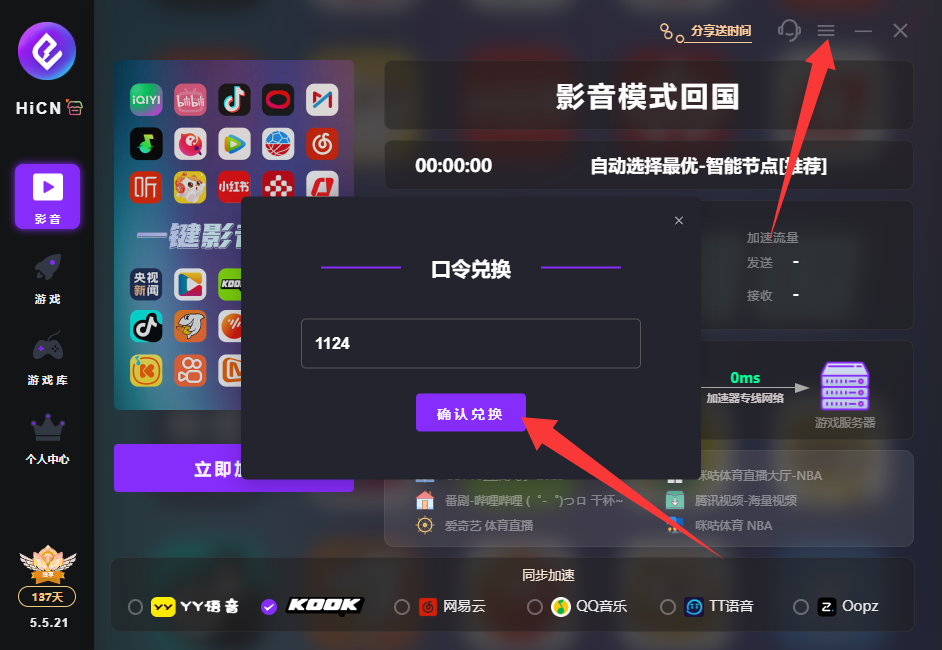
Enter code 1124 to get free HiCN membership acceleration time.